

1. Compiling and Installing memcached from Source:
yum install libevent-devel # Install the libevent-devel package
wget http://memcached.org/files/memcached-1.4.33.tar.gz
Or download it from our site:
http://www.cnop.net/html/down/code/2016/1103/112.html
Decompress and compile:
tar zxvf memcached-1.4.33.tar.gz
cd memcached-1.4.33
./configure –prefix=/usr/local/memcached
To install, run the following commands:
make && make install
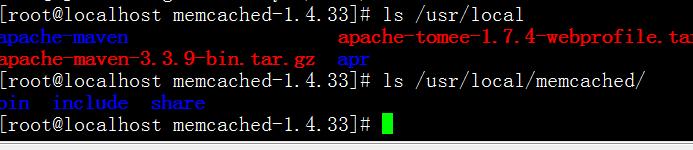
After installation, you can see a new memcached directory under /usr/local. The directory structure is as follows:
Starting memcached:
/usr/local/memcached/bin/memcached -d -l 127.0.0.1 -m 800 -u root -c 1024 -p 11211 -P /tmp/memcached.pid
The command above directly specifies information such as the IP address, memory size, username, number of connections, and port.
2. Installing memcached via YUM:
yum -y install memcached
service memcached start #Start
service memcached stop #Stop
service memcached restart #Restart
When installing via YUM, to specify the startup user, memory, and number of connections, you can edit the /etc/init.d/memcached startup file as follows (for security, we bind the IP to prohibit external network access):
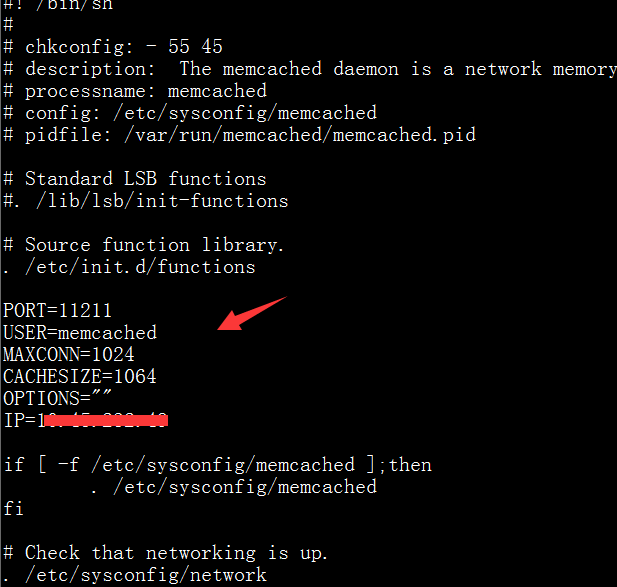
And find the following statement to change the relevant parameters to the following:
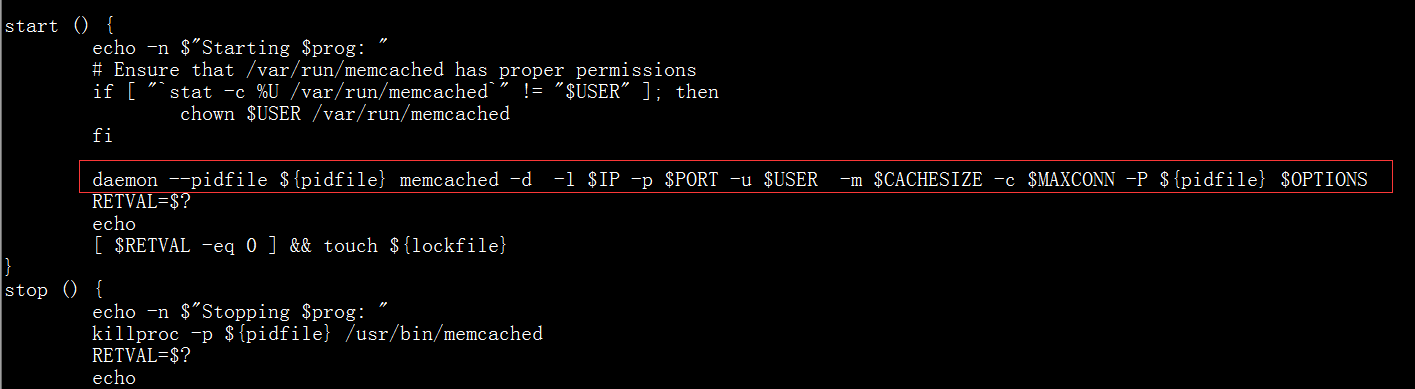
daemon –pidfile ${pidfile} memcached -d -l $IP -p $PORT -u $USER -m $CACHESIZE -c $MAXCONN -P ${pidfile} $OPTIONS
Just change it to other parameters. The example below uses port 11211, user root, and 2048M of memory:
daemon –pidfile ${pidfile} memcached -d -p 11211 -u root -m 2048 -c $MAXCONN -P ${pidfile} $OPTIONS
Save and restart the service:
service memcached restart
Check status:
ps -ef|grep memcached