The number of connections to our project’s image server had grown significantly. To reduce the load on the image server, I tried setting up a cache server using Varnish for image caching. After going live, it has been stable and performing well. Here is the installation guide—feedback and discussion are welcome:
Installation Environment
Operating System: CentOS
Software List
varnish-4.1.0
1. RPM Installation (using RedHat and CentOS as examples):
- #yum install epel-release
- #rpm –nosignature -i https://repo.varnish-cache.org/redhat/varnish-4.1.el7.rpm
- #yum install varnish
Note: EPEL is a yum repository for Linux systems. Sometimes when packages cannot be found through yum, installing EPEL can help locate the relevant packages.
2. Compilation and Installation:
1. Download the software:
#wget https://repo.varnish-cache.org/source/varnish-4.1.0.tar.gz
or
#wget http://mirror.cnop.net/varnish/varnish-4.1.0.tar.gz
2. Extract and install the software:
#tar -zxvf varnish-4.1.0.tar.gz
#cd varnish-4.1.0
#yum -y install gcc zlib-devel zlib readline-devel ncurses-devel zlib1g-dev pcre-devel libpcre3-dev gcc-c++ autoconf automake
#./configure –prefix=/usr/local/varnish
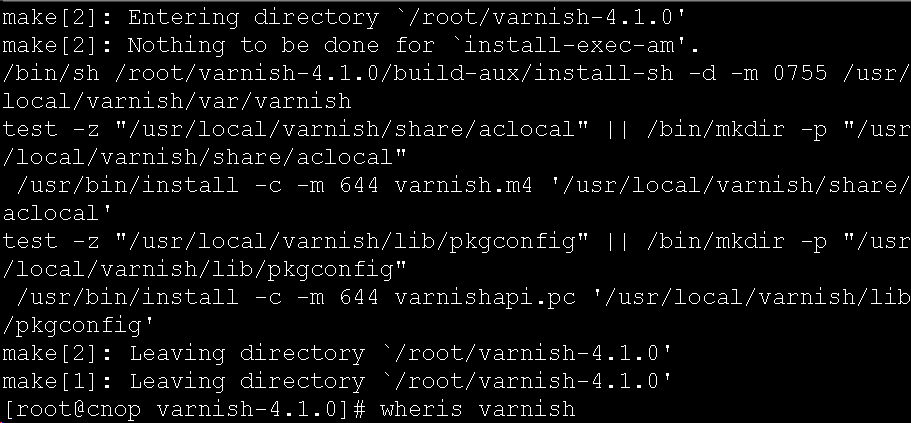
#make && make install
The following output indicates success: