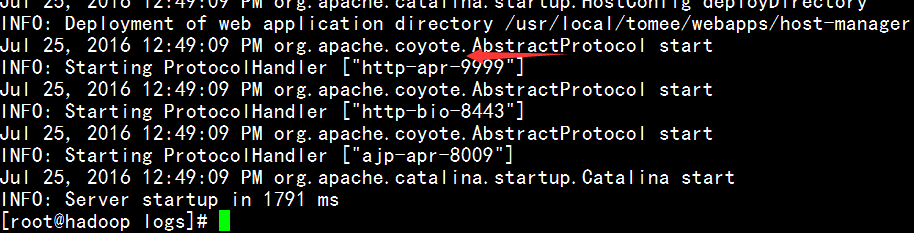
1. JVM Memory Optimization;
vi /usr/local/tomee/bin/catalina.sh
Add the following information: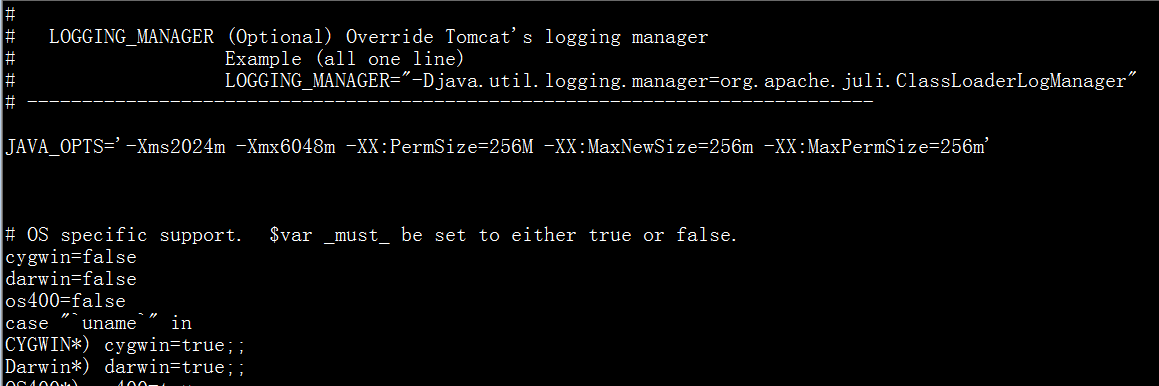
JAVA_OPTS='-Xms2024m -Xmx6048m -XX:PermSize=256M -XX:MaxNewSize=256m -XX:MaxPermSize=256m
Description:
-Xms Minimum initial memory for the Java Virtual Machine;
-Xmx Maximum memory usable by the Java Virtual Machine;
-XX:PermSize Permanent generation memory area
-XX:MaxPermSize Maximum permanent generation memory area
2. Tomcat Configuration File Optimization:
vi /usr/local/tomee/conf/server.xml
Add the following information at the relevant port section, e.g., my open port 8888:
maxHttpHeaderSize="8192"
minProcessors="100"
maxProcessors="1000"
acceptCount="1000"
disableUploadTimeout="true"
connectionTimeout="20000"
redirectPort="8443"
minSpareThreads="100"
maxSpareThreads="1000"
maxThreads="500"
enableLookups="false"
compression="on"
compressionMinSize="2048"
compressableMimeType="text/html,text/xml,text/javascript,text/css,text/plain"
URIEncoding="utf-8"
xpoweredBy="false" server="Apache TomEE" />
Parameter Description
minProcessors: Minimum number of idle connection threads, used to improve system processing performance. Default is 10.
maxProcessors: Maximum number of connection threads, i.e., the maximum number of concurrent requests processed. Default is 75.
acceptCount: Maximum number of connections allowed, should be greater than or equal to maxProcessors. Default is 100.
The parameters related to maximum connections are maxProcessors and acceptCount. To increase concurrent connections, both of these parameters should be increased simultaneously.
enableLookups: Whether to perform reverse DNS lookups. Values: true or false. To improve processing capability, it should be set to false. If set to true, domain name resolution is supported, resolving IP addresses to hostnames.
connectionTimeout: Network connection timeout, in milliseconds. Setting to 0 means no timeout, which is risky. Usually set to 30000 milliseconds.
maxThreads Maximum number of threads for client requests.
minSpareThreads Number of socket threads created during Tomcat initialization.
maxSpareThreads Maximum number of idle socket threads for the Tomcat connector.
redirectPort Redirects client requests to this SSL-based port when a secure channel is required.
acceptAccount Maximum queue size for the listening port. Client requests will be rejected once the queue is full (should not be less than maxSpareThreads).
connectionTimeout Connection timeout.
minProcessors Minimum number of processing threads when the server is created.
maxProcessors Maximum number of simultaneous processing threads for the server.
URIEncoding Uniform URL Encoding.
compression Enable compression.
compressionMinSize Minimum size of output content to enable compression, default is 2KB here.
compressableMimeType Types of MIME to compress.
connectionTimeout Defines the timeout for establishing a client connection. If set to -1, there is no limit on the time to establish a client connection.
The maximum number of connections allowed by the web server is also limited by the operating system’s kernel parameter settings. Typically, it’s around 2000 for Windows and around 1000 for Linux.
Restart:
/usr/local/tomee/bin/shutdown.sh
/usr/local/tomee/bin/startup.sh
Check status:
ps -ef|grep tomee

or
http://192.168.0.100:8888/manager/status
3. Switching to APR Mode:
APR is the Apache HTTP Server’s support library, providing a set of APIs mapped to the underlying operating system. Using the tomcat-native library, Tomcat can leverage APR to make more native API calls at runtime, improving performance. The tomcat-native library depends on three components: APR, OPENSSL, JDK.
bio The default mode, with very poor performance, without any optimization or support.
nio Utilizes Java’s asynchronous IO care technology, no blocking IO technology. To run in this mode, directly modify the Connector node in server.xml, changing protocol to protocol="org.apache.coyote.http11.Http11NioProtocol"
apr The most difficult to install, but solves asynchronous IO issues at the operating system level, significantly improving performance.
Install APR : yum -y install apr apr-devel apr-util
Install tomcat-native (included by default since Tomcat 7): yum install tomcat-native
Install native (Tomcat 7): First enter the tomcat/bin directory,
cd /usr/local/tomee/bin
tar xzfv tomcat-native.tar.gz
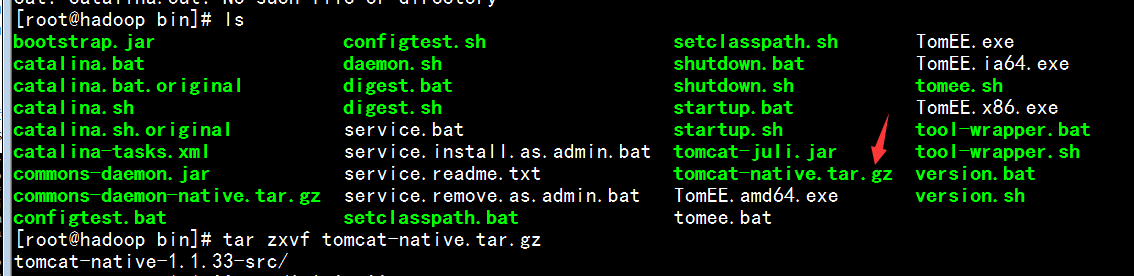
cd tomcat-native-1.1.33-src/jni/native/
Install:
./configure –with-apr=/usr/bin/apr-1-config
make && make install
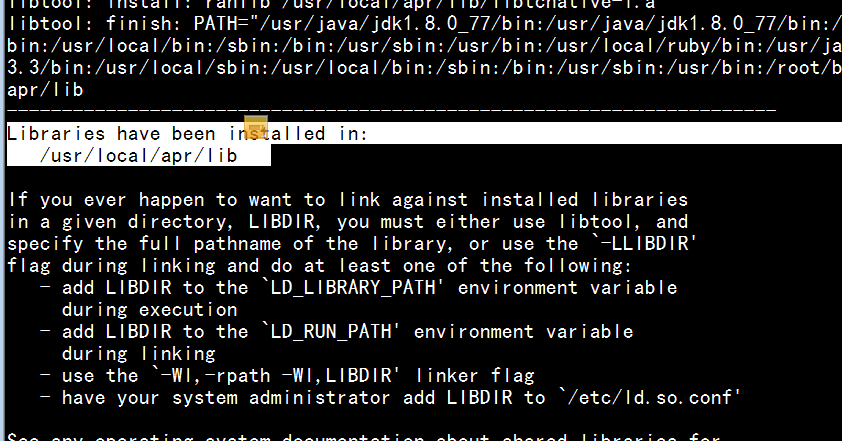
After installation is complete, the following message will appear, indicating installation is done:
Libraries have been installed in:
/usr/local/apr/lib
Modify system environment variables:
vi /etc/profile modify environment variables, add:
export LD_LIBRARY_PATH=/usr/local/apr/lib
Make the modification effective:
source /etc/profile
After successful installation, you also need to set the environment variable for Tomcat by adding 1 line in the catalina.sh file:
vi /usr/local/tomee/bin/catalina.sh
CATALINA_OPTS=”-Djava.library.path=/usr/local/apr/lib”
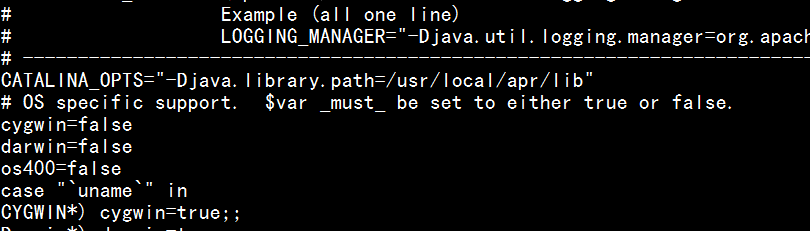
Restart Tomcat to take effect:
/usr/local/tomee/bin/shutdown.sh
/usr/local/tomee/bin/startup.sh
Check the logs, the following message indicates success:
tail -n20 /usr/local/tomee/logs/catalina.out