

Environment: Tomcat + YunSuo 3.0
1. Download and extract the attachment:
Attachment download https://www.cnop.net/uploadfile/2017/0227/20170227025519812.zip
#cd /usr.local/tomcat # Change the path to your own
#wget https://www.cnop.net/uploadfile/2017/0227/20170227025519812.zip
#unzip 20170227025519812.zip
#ls
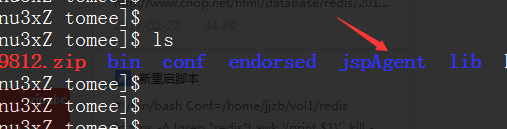
After extraction, the files in the directory are as follows:
JSPAgent.jar libJSPAgent.so liblitexml_linux.so md5sum
#cd jspAgent
#cp *.so /lib64/ # Copy the library files to the relevant root directory, otherwise startup errors may occur later
2. Add relevant parameters
Modify the JAVA startup parameters in ${CATALINA_HOME}/bin/catalina.sh, appending the -javaagent option:
vi /home/jjzb/vol1/tomee/bin/catalina.sh
Locate:
elif [ "$1" = "start" ]; then
Append the following line below it: JAVA_OPTS="-javaagent:${CATALINA_HOME}/jspAgent/JSPAgent.jar ${JAVA_OPTS}"
As shown below:
3. Restart and test
service tomcat restart
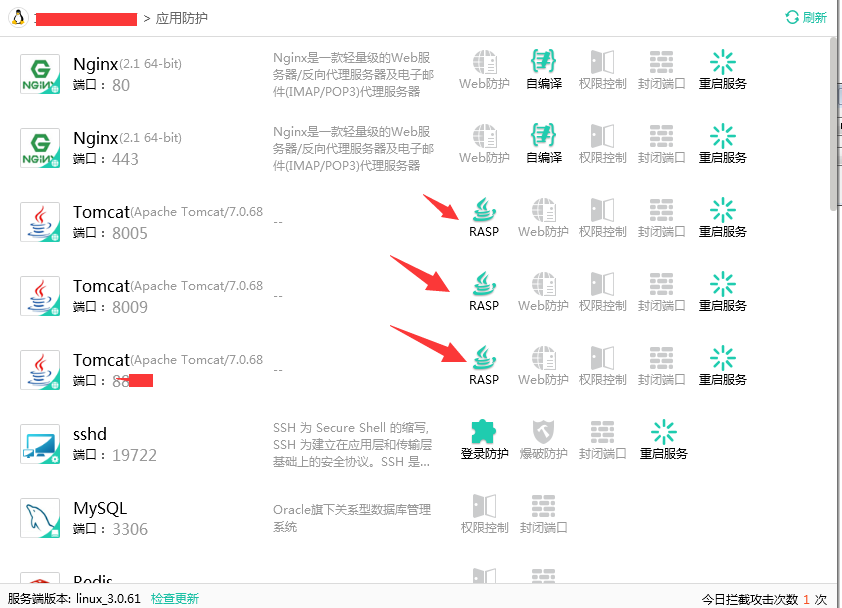
Log in to the client, refresh the right side, and you can see the protection is enabled:
Attachment download https://www.cnop.net/uploadfile/2017/0227/20170227025519812.zip