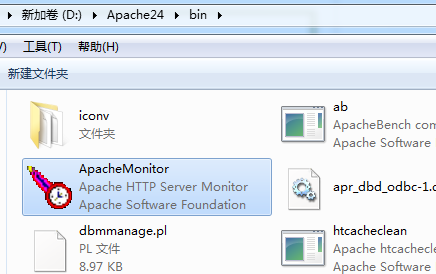
Please note that Apache 2.4.10 does not support Windows Server 2003. The supported systems are as follows:
Windows 7 SP1Windows 8 / 8.1Windows Server 2008 R2 SP1Windows Server 2012 / R2Windows Vista SP2
Download Apache 2.4.10
Download Links:
After downloading, extract the files as shown below (this tutorial uses extracting to drive D as an example, i.e., d:/apache24):
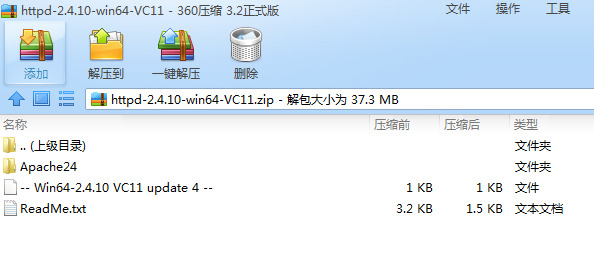
Open httpd.conf in the conf directory, find all instances of c:/Apache24 and replace them with d:/Apache24
Now proceed with the installation steps:
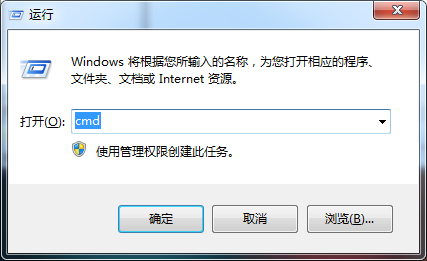
1. Open the Run dialog:
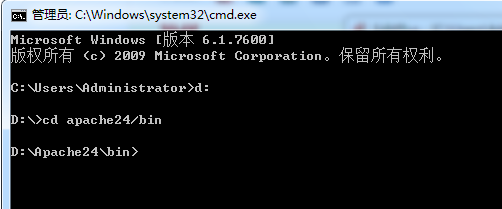
2. Navigate to the bin directory under d:/apache24:
d:cd apache24/bin
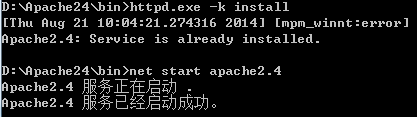
3. Enter the following command and press Enter:
httpd.exe -k install
The following prompt indicates a successful installation:
[Thu Aug 21 10:04:21.274316 2014] [mpm_winnt:error] [pid 2808:tid 112] AH00433:Apache2.4: Service is already installed.
4. To start Apache, enter:
net start apache2.4
You should see the following message, indicating a successful start:
Apache2.4 服务正在启动 .Apache2.4 服务已经启动成功。
5. Test if it works: Enter http://localhost in your browser
It works!
6. Management: You can use the GUI interface to manage it: