

1. Required Software
1. httpd-2.2.19-win32-x86-openssl-0.9.8r.msi (There is no 64-bit Apache for Windows installer available yet)
2. php-5.2.17-Win32-VC6-x86.zip (There is no 64-bit PHP for Windows available yet. This PHP Thread Safe version is chosen for the following reasons:
From the official download page notes:
Which version do I choose?
If you are using PHP with Apache 1 or Apache2 from apache.org you need to use the VC6 versions of PHP. If you are using PHP with IIS you should use the VC9 versions of PHP.
2. Installing and Configuring Apache to Support PHP
1. Install Apache — Double-click httpd-2.2.19-win32-x86-openssl-0.9.8r.msi (Note: If you do not need to use IIS, please stop it. How to do this: Start – Run – cmd – net stop w3svc, then right-click Manage – Services, find World Wide Web Publishing Service, right-click – Properties – Startup type, and set it to Manual or Disabled)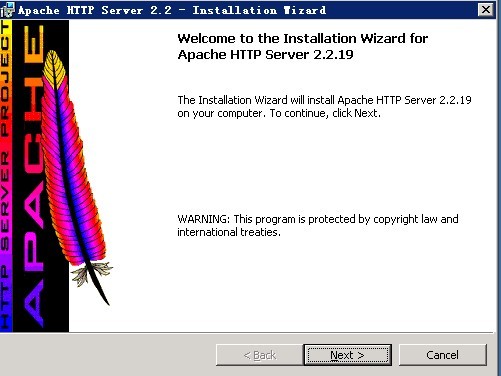
Click Next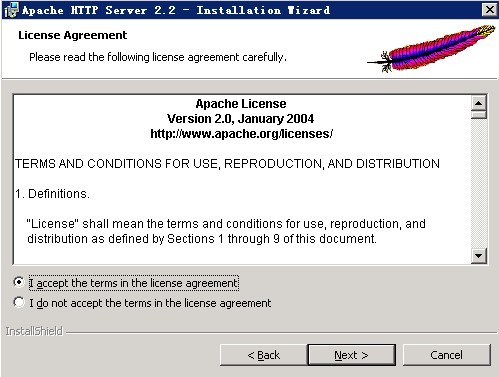
Select I accept, then click Next
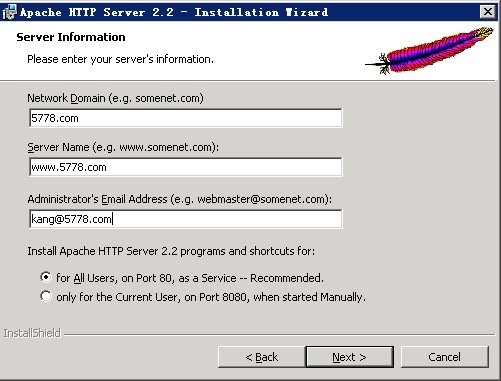
Fill in your domain and email information, then click Next
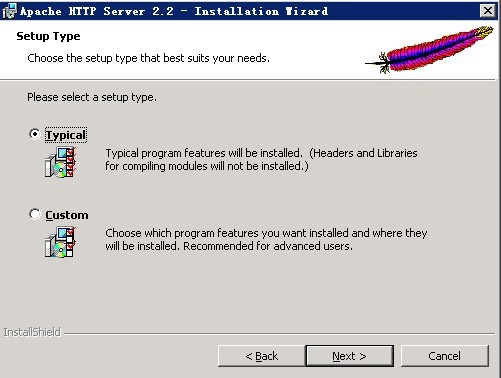
Click Next
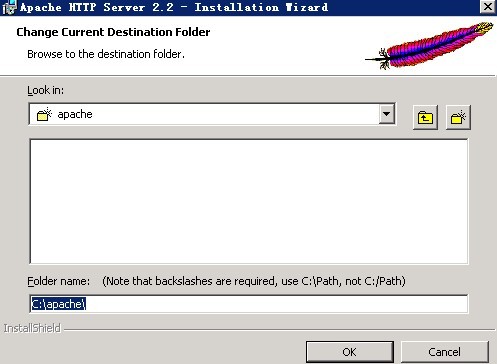
Here, install Apache in the root directory of the C drive for easier management. You can also use the default directory. After setting the directory, click OK.
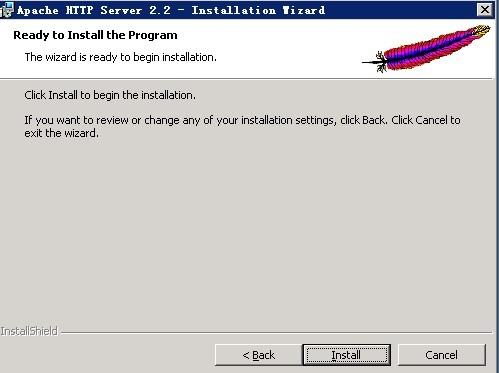
Installation is complete. Type http://localhost/ in the address bar to test it. You should see “It works!”
2. Configure Apache to Run PHP
(1) Extract php-5.2.17-Win32-VC6-x86.zip to C:/php
(2) Copy php.ini-recommended and rename it to php.ini
(3) Modify the parameters in php.ini
extension_dir = "C:/php/ext"
upload_max_filesize = 2M (Increase this value to support larger file uploads.)
extension=php_gd2.dll
extension=php_curl.dll
extension=php_mbstring.dll
extension=php_mcrypt.dll
extension=php_mysql.dll
extension=php_mysqli.dll
extension=php_pdo.dll
extension=php_pdo_mysql.dll
extension=php_zip.dll
Remove the preceding semicolons, change register_globals = Off to register_globals = On, then save and exit.
(4) Copy
libeay32.dll
libmcrypt.dll
libmhash.dll
libmysql.dll
libpq.dll
php5ts.dll
ssleay32.dll
to C:/windows/system32.
If you are installing a 64-bit database, remember to also copy them to C:/windows/SysWOW64, otherwise the database connection will fail.
(5) Set the PHP environment variable
Right-click My Computer – Properties – Advanced – Environment Variables. Edit the PATH variable and append ;C:/php;C:/php/ext to the end.
(6) Configure C:/apache/conf/httpd.conf
Add the following lines below #LoadModule vhost_alias_module modules/mod_vhost_alias.so (adjust the paths as needed):
LoadModule php5_module D:/Program Files/php5.2.17/php5apache2_2.dll
PHPIniDir "D:/Program Files/php5.2.17"
AddType application/x-httpd-php .php
or
LoadModule php5_module "D:/Program Files/php5.2.17/php5apache2_2.dll"PHPIniDir "D:/Program Files/php5.2.17"AddType application/x-httpd-php .php
Inside the
7. Test
After restarting Apache, create a new file named info.php in C:/apache/htdocs and add phpinfo(); content inside it.Save and exit, then enter
Type http://localhost/info.php in your browser. If a page appears, the configuration was successful.
phpinfo attachment download: https://www.cnop.net/uploadfile/2014/0807/20140807044859396.rar
HTTPS configuration file: https://www.cnop.net/uploadfile/2014/0927/20140927113318142.zip