

Many organizations have several IP segments that they want to interconnect, which can be a real headache. For example, the company surveillance system (192.168.0.18) and the office network (192.168.5.16) are on different subnets, but you need direct access between them. Today, I hope this method can help you out. Let鈥檚 use accessing the 192.168.5.x segment from 192.168.0.18 as an example.
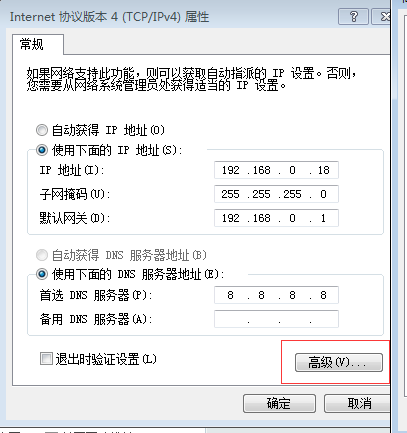
Right-click on Network Neighborhood, find Local Area Connection, click Properties, and then click Advanced, as shown in the image below:
Click Add, and enter the IP and Subnet Mask respectively:
192.168.5.254
255.255.255.0
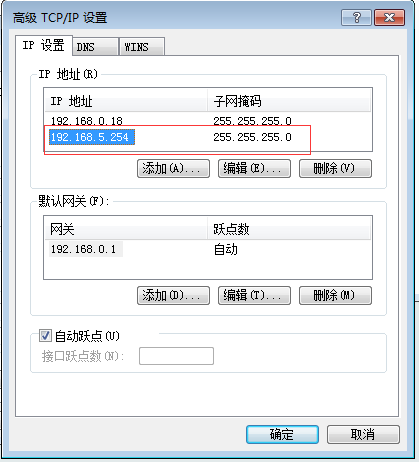
The address 192.168.