

tail .tail-f,tail -f filenamefilename,,. 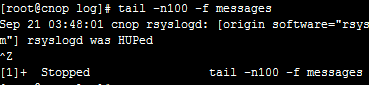
1.Command format;
tail [required params] [optional params] [file]
2.Function:
Display the end of a file. When no file is specified, processes stdin. Commonly used for log files.。
3.Parameters:
-f
-q
-v
-c<>
-n<>
–pid=PID -f,ID,PID.
-q, –quiet, –silent
-s, –sleep-interval=S -f,S
4.Examples:
Example 1: Display end of file
Command:
tail -n 5 log2014.log
Output:
[root@localhost test]# tail -n 5 log2014.log
2014-09
2014-10
2014-11
2014-12
==============================[root@localhost test]#
Description:
Display the last 5 lines
Example 2: Monitor file in real-time
:
tail -f test.log
:
[root@localhost ~]# ping 192.168.120.204 > test.log &
[1] 11891[root@localhost ~]# tail -f test.log
PING 192.168.120.204 (192.168.120.204) 56(84) bytes of data.
64 bytes from 192.168.120.204: icmp_seq=1 ttl=64 time=0.038 ms
64 bytes from 192.168.120.204: icmp_seq=2 ttl=64 time=0.036 ms
64 bytes from 192.168.120.204: icmp_seq=3 ttl=64 time=0.033 ms
64 bytes from 192.168.120.204: icmp_seq=4 ttl=64 time=0.027 ms
64 bytes from 192.168.120.204: icmp_seq=5 ttl=64 time=0.032 ms
64 bytes from 192.168.120.204: icmp_seq=6 ttl=64 time=0.026 ms
64 bytes from 192.168.120.204: icmp_seq=7 ttl=64 time=0.030 ms
64 bytes from 192.168.120.204: icmp_seq=8 ttl=64 time=0.029 ms
64 bytes from 192.168.120.204: icmp_seq=9 ttl=64 time=0.044 ms
64 bytes from 192.168.120.204: icmp_seq=10 ttl=64 time=0.033 ms
64 bytes from 192.168.120.204: icmp_seq=11 ttl=64 time=0.027 ms
[root@localhost ~]#
:
ping 192.168.120.204 > test.log & //ping。test.log;This also works for monitoring multiple files. Press Ctrl+C to stop.
Example 3: Display from line 5
:
tail -n +5 log2014.log
:
[root@localhost test]# cat log2014.log
2014-01
2014-02
2014-03
2014-04
2014-05
2014-06
2014-07
2014-08
2014-09
2014-10
2014-11
2014-12
==============================
[root@localhost test]# tail -n +5 log2014.log
2014-05
2014-06
2014-07
2014-08
2014-09
2014-10
2014-11
2014-12
==============================