Today, while using Remote Desktop, I encountered a situation: “Your credentials did not work” and “The credentials that were used to connect to…”; essentially, it means the credentials are invalid.
Here’s the solution (for reference only):
Taking the remote host 192.168.0.18 as an example, on 192.168.0.18, press Win+R, input
secpol.msc
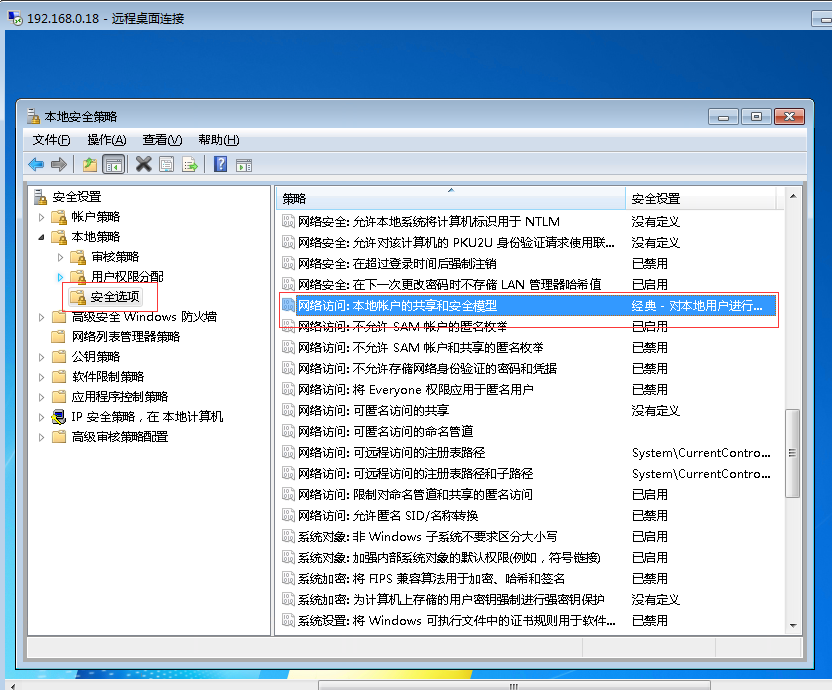
Navigate to Local Policies -> Security Options -> Network access: Sharing and security model for local accounts, double-click it, change “Guest only” to “Classic” and confirm, as shown below: