

GeoIP is an nginx module capable of blocking IP addresses. It requires manual compilation and installation. Once set up, it can block access from specific countries and cities, which is crucial for website security.
1. Installing the GeoIP2 Extension Dependency
yum install libmaxminddb-devel -y
#This library is required for the ngx_http_geoip2_module module.
yum -y install epel-release jemalloc pcre* openssl* unzip wget zip
#Install other essential libraries for nginx.
2. Downloading the ngx_http_geoip2_module Module
cd /usr/local/src
git clone https://github.com/leev/ngx_http_geoip2_module.git
or
wget http://mirror.cnop.net/web/module/ngx_http_geoip2_module-master.zip && unzip ngx_http_geoip2_module-master.zip
ls ngx_http_geoip2_module-master

3. Compiling Nginx and Verifying Module Installation
It is recommended to choose the latest version of nginx.
useradd www #Add the nginx runtime user
cd /home && wget https://mirror.cnop.net/web/tengine/tengine-2.3.3.tar.gz && tar zxvf tengine-2.3.3.tar.gz && cd tengine-2.3.3
#Compile and install
./configure –user=www –group=www –prefix=/usr/local/nginx –with-http_ssl_module –with-http_flv_module –with-http_stub_status_module –with-http_gzip_static_module –add-module=./modules/ngx_http_upstream_vnswrr_module –add-module=./modules/ngx_http_concat_module –add-module=/usr/local/src/ngx_http_geoip2_module-master
Note: When compiling, you just need to add the –add-module=/usr/local/src/ngx_http_geoip2_module-master parameter (using the actual download path).
You can add a startup script yourself for convenient future management.
Run the ”nginx -m“ command. If you see ”ngx_http_geoip2_module“, it means the installation was successful.
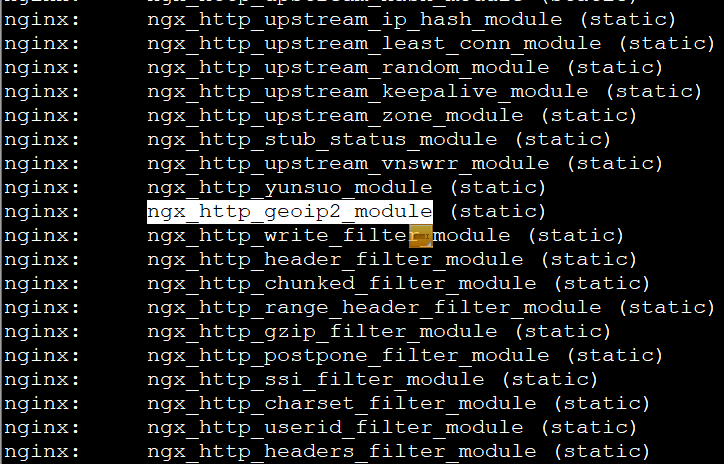
4. Downloading the IP Database: After the module is successfully installed, you need to specify the database in Nginx.
mkdir /usr/share/GeoIP && cd /usr/share/GeoIP && wget http://mirror.cnop.net/web/module/Geoip2.zip && unzip Geoip2.zip && rm -rf Geoip2.zip
Note: The four steps above can be completed by using the Tengine one-click installation script from the project below to install both nginx and the GeoIP module. After the one-click installation, you can proceed manually from step 5:
5. Adding the Following Code in the HTTP Block:
touch /usr/local/nginx/conf/ip.conf
#Create a whitelist file where you can store IPs later. The GeoIP whitelist supports IP ranges.
vi /usr/local/nginx/conf/nginx.conf
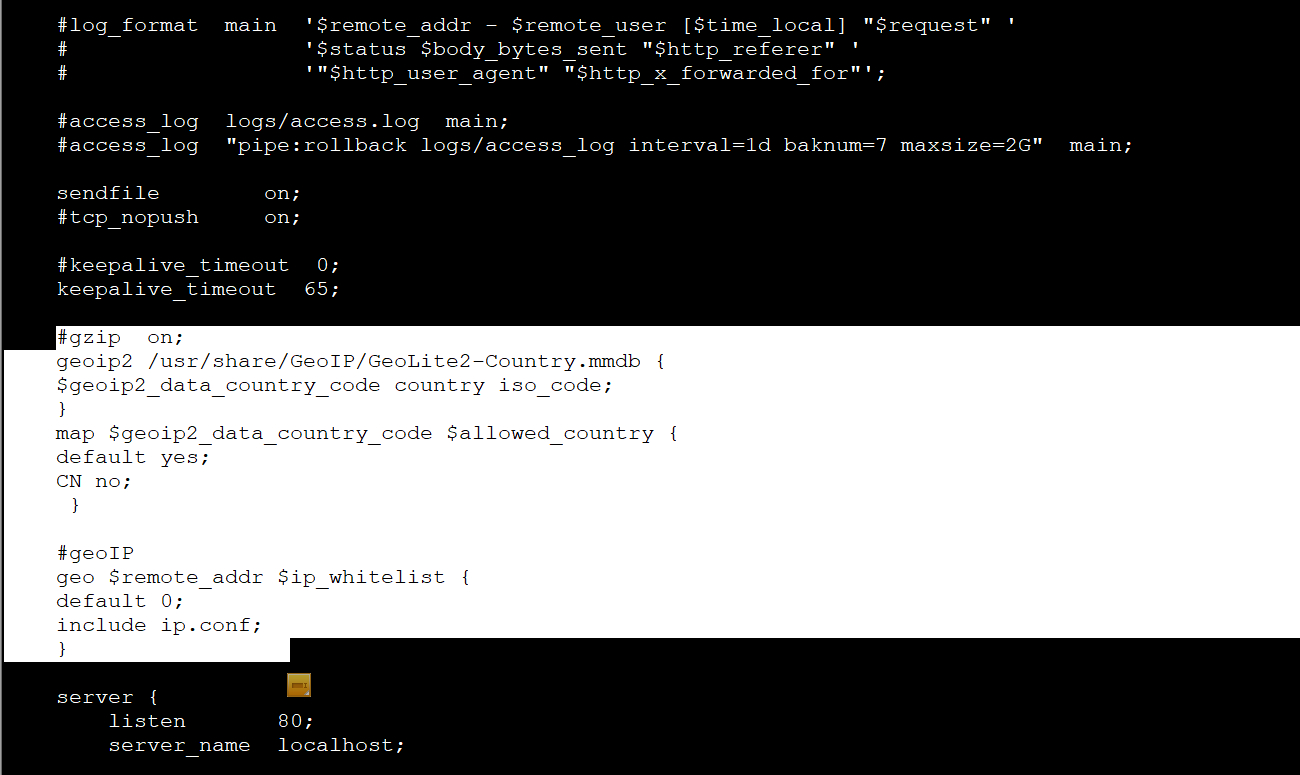
Add the following inside the http ”{ }“ block:
#gzip on;
geoip2 /usr/share/GeoIP/GeoLite2-Country.mmdb {
$geoip2_data_country_code country iso_code;
}
map $geoip2_data_country_code $allowed_country {
default yes;
CN no;
}
#geoIP white
geo $remote_addr $ip_whitelist {
default 0;
include ip.conf;
}
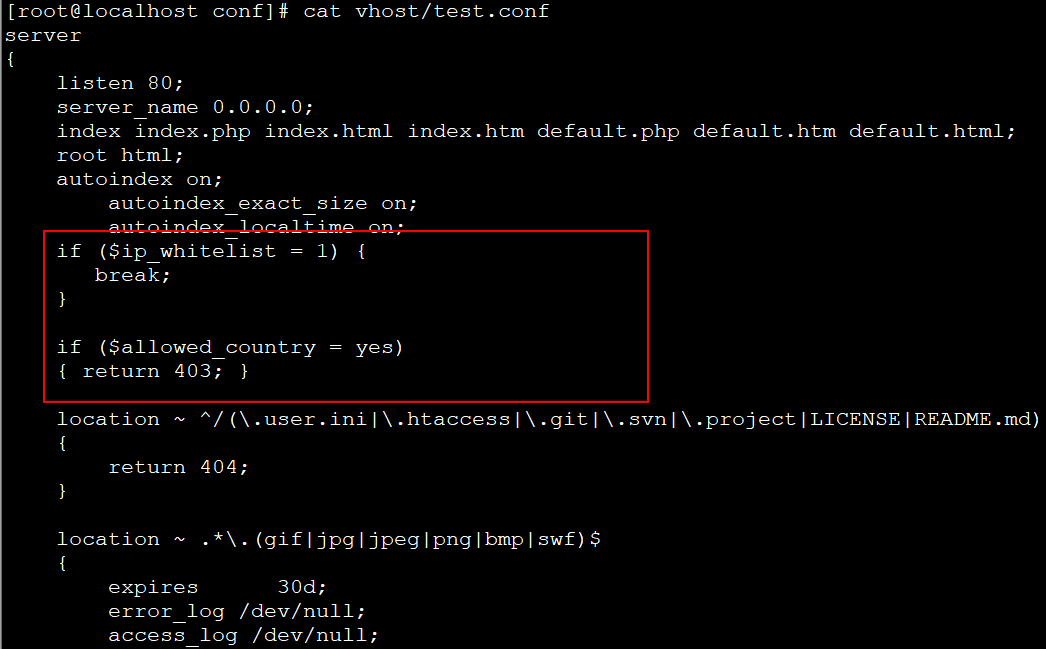
Add the following code inside the server block of your site to deny access to all non-Chinese IPs:
server
{
listen 80;
server_name 0.0.0.0;
index index.php index.html index.htm default.php default.htm default.html;
root html;
if ($ip_whitelist = 1) {
break;
}
if ($allowed_country = yes)
{ return 403; }
location ~ ^/(/.user.ini|/.htaccess|/.git|/.svn|/.project|LICENSE|README.md)
{
return 404;
}
location ~ .*/.(gif|jpg|jpeg|png|bmp|swf)$
{
expires 30d;
error_log /dev/null;
access_log /dev/null;
}
location ~ .*/.(js|css)?$
{
expires 12h;
error_log /dev/null;
access_log /dev/null;
}
}
Domestic Chinese IPs can access the site, while foreign IPs will directly receive a 403 error.
service nginx restart
This completes the nginx configuration. Access is now restricted by country and city via GeoIP, with whitelist support included.
Installation document, attachment: https://www.cnop.net/uploadfile/2021/1215/20211215175248117.pdf