

Today we ran into some issues on a project. The frontend was using the Tengine server to health-check the backend, and after restarting the Tengine server, it took a very long time to return to normal.
After checking the error logs and system symptoms, here is what we found:
1. The nginx error log showed:
worker process xxx exited on signal 11
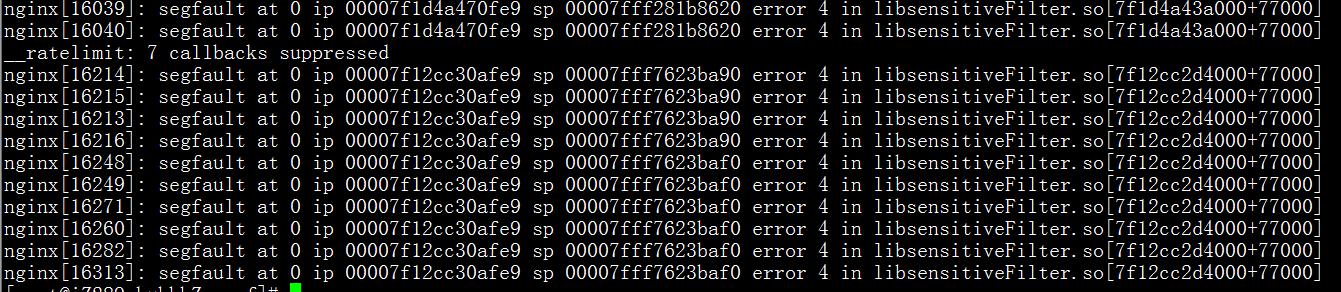
2. Using dmesg to check the kernel revealed a memory overflow:
#dmesg
The error is as follows:
nginx[16214]: segfault at 0 ip 00007f12cc30afe9 sp 00007fff7623ba90 error 4 in libsensitiveFilter.so[7f12cc2d4000+77000]
3. The backend was functioning normally, but the frontend took a long time to detect the backend server after restarting.
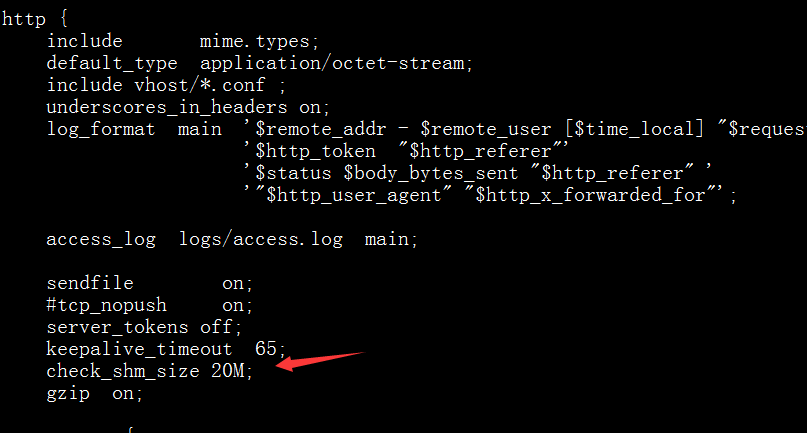
Solution: Increase the tengine check_shm_size value. The default tengine check_shm_size is 1M. We increased it to 20M (using my installation path as an example):
vi /usr/local/nginx/conf/nginx.conf
Add the following information inside the http block:
Restart nginx:
service nginx restart
After checking again, the health checks were back to normal.