Today, when logging into a remote Windows host, I encountered the following error:
To log on to this remote computer, you must be granted the Allow log on through Terminal Services right. By default, members of the "Remote Desktop Users" group have this right. If you are not a member of the "Remote Desktop Users" group or another group that has this right, or if the "Remote Desktop Users" group does not have this right, you must be granted this right manually.

How to Fix
1. Open Group Policy:
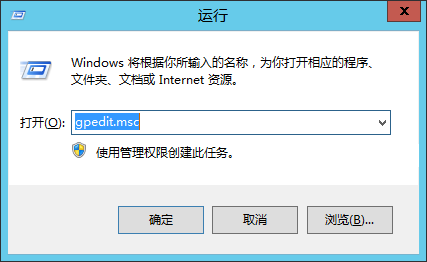
Press Win+R to open the “Run” dialog. Type gpedit.msc and press Enter to open the “Local Group Policy Editor”:
2. Navigate to User Rights Assignment
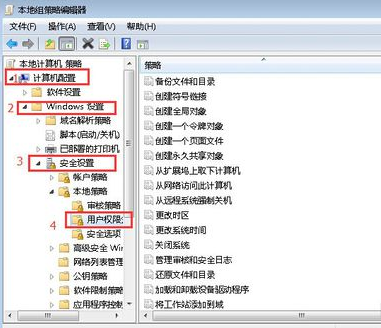
In the “Local Group Policy Editor,” go to “Computer Configuration” –> “Windows Settings” –> “Security Settings” –> “User Rights Assignment”:
3. Remove the Denied User:
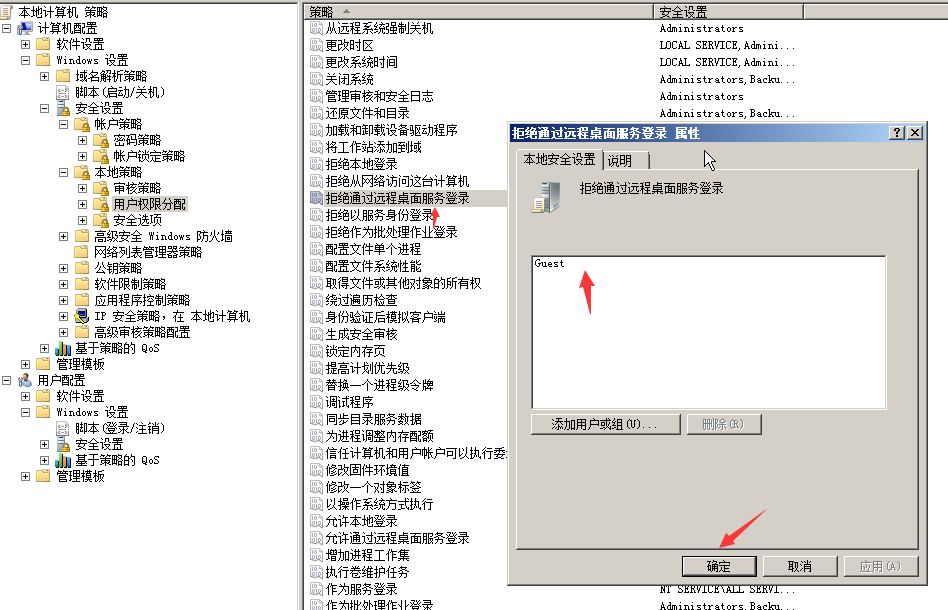
In the “User Rights Assignment” view, find “Deny log on through Remote Desktop Services,” double-click it, and delete the Administrator user from the list: