

1. When you need to step away from your desk and care about your computer’s security, just hold the Windows key and press L. This locks your screen instantly, so you won’t have to worry about your data being exposed.
2.When looking for files on a computer, an average user usually locates “My Computer” first and then clicks to open it. A power user, however, handles it with flair — simply hold the Windows key and press E to launch File Explorer directly. While the average user is still searching for the “My Computer” icon, the power user has already left them in the dust.
3. When you’re gaming or watching something private and the boss walks in! The mouse can’t click the Show Desktop button in the bottom-right corner fast enough — what to do? Don’t panic! Just press the Windows key and D together — poof! The desktop appears instantly!
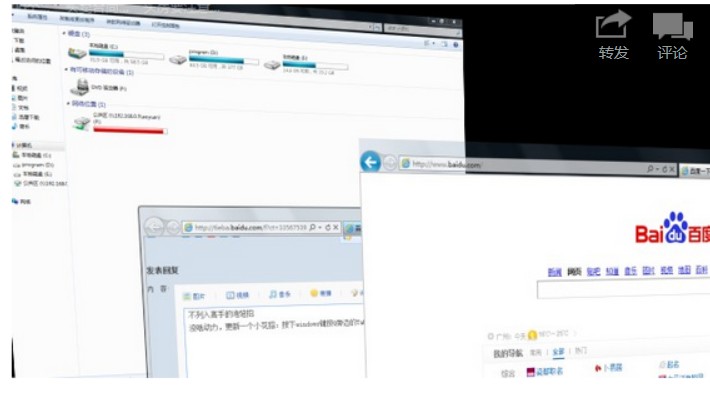
4. A neat little trick, quite flashy. Press the Windows key and then the Tab key to switch between windows with a 3D flip effect.
5. Windows’ built-in screen recording feature. Press Windows key + R, type psr.exe and hit Enter, then you can start recording your steps.
6.Do you know how to adjust display brightness, speaker volume, turn on Wi-Fi, and check your laptop’s battery level all from one place? Or you’ve connected your laptop to a TV but need to configure the display settings? It’s a piece of cake — just press Windows key + X and it fulfills all these wishes in one go!
7.Press Windows + R, type osk, and a stylish virtual keyboard pops up! When you press a physical key, it shows the pressed state on-screen too!
8. Image too tiny and eyesight not what it used to be? Try Windows key and ++++++, the Magnifier appears!
9. Many modern programs like QQ or IE open multiple pages within a single window. Use Ctrl+Tab to switch between those pages. Use Ctrl+W to close the current page.
10.Hold the Windows key, then press Fn, then press Home to open System Properties. (Of course, right-clicking My Computer -> Properties does the same thing, but doesn’t using keyboard shortcuts feel way cooler~^^