

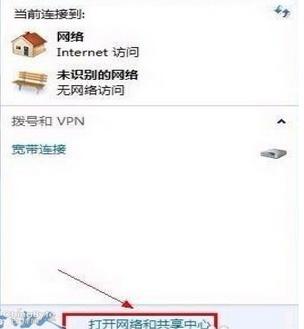
Disabling and re-enabling your local connection is the most common method. To do this, first click the network icon in the bottom-right corner of your desktop. Then, in the pop-up interface, click “Open Network and Sharing Center”
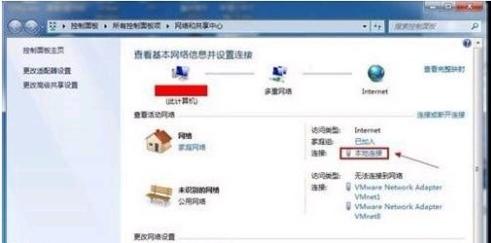
Next, click “Local Area Connection”
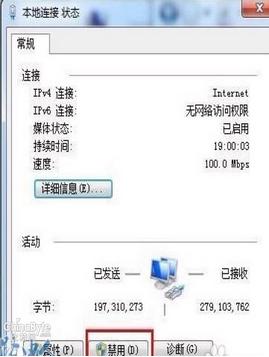
Once the local connection status window opens, click “Disable”. When the button changes back to “Enable”, click it again to re-enable the connection.
Next, let’s introduce another method: disabling the network adapter and re-enabling it. The specific steps are: right-click the Computer icon and select Manage. Then click Device Manager, expand Network adapters, and finally double-click to open your network card. Next, switch to the Driver tab and click Disable. Just like the previous method, once the disable button changes to enable, click Enable and you’re all set.
The last method is to restart your router, which is one of the most commonly used and most effective solutions. The specific steps are: log into your router’s interface, and under System Tools, click Restart Router
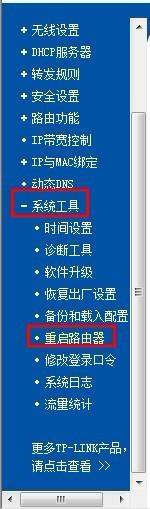
Then click the “Restart Router” button in the right-hand window to reboot the router.