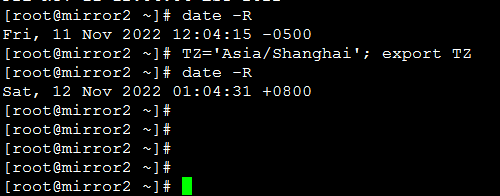
Here we take CentOS 7 and changing it to the Beijing timezone as an example.
Method One
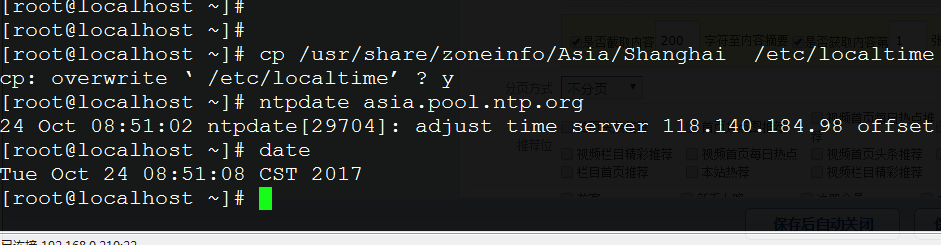
Execute the following as an administrator user:
cp /usr/share/zoneinfo/Asia/Shanghai /etc/localtime
Re-synchronize the time:
ntpdate asia.pool.ntp.org
Method Two
tzselect
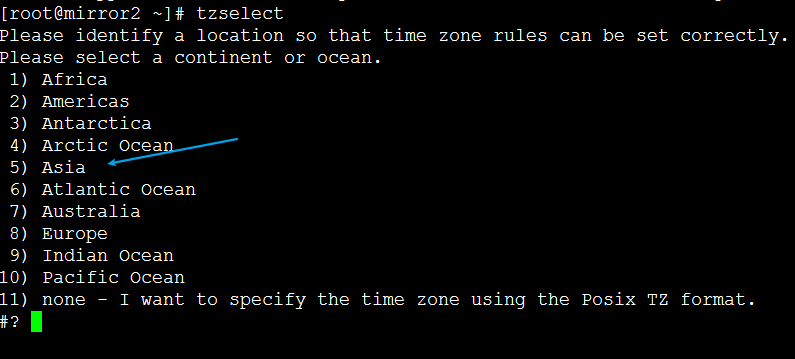
We take the Asia/Beijing timezone as an example. Here we enter “ 5 ” and confirm.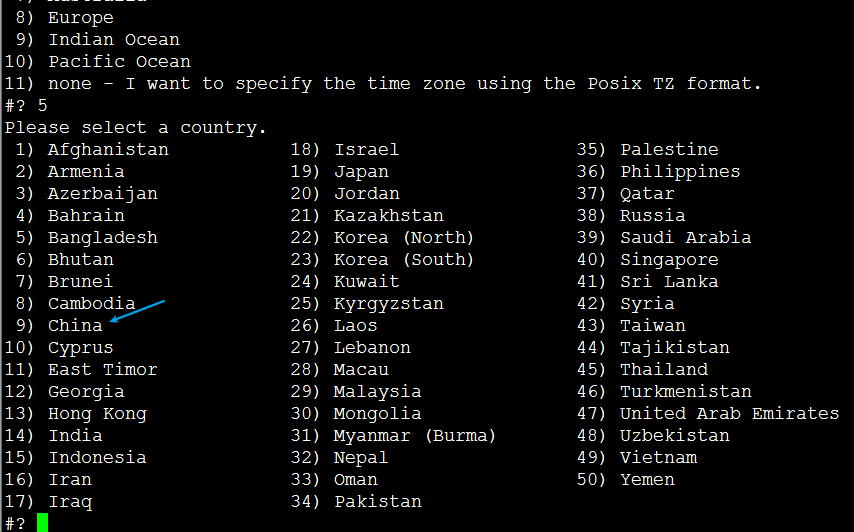
Enter “ 9 ” for the China timezone, then enter “1” to select Beijing time.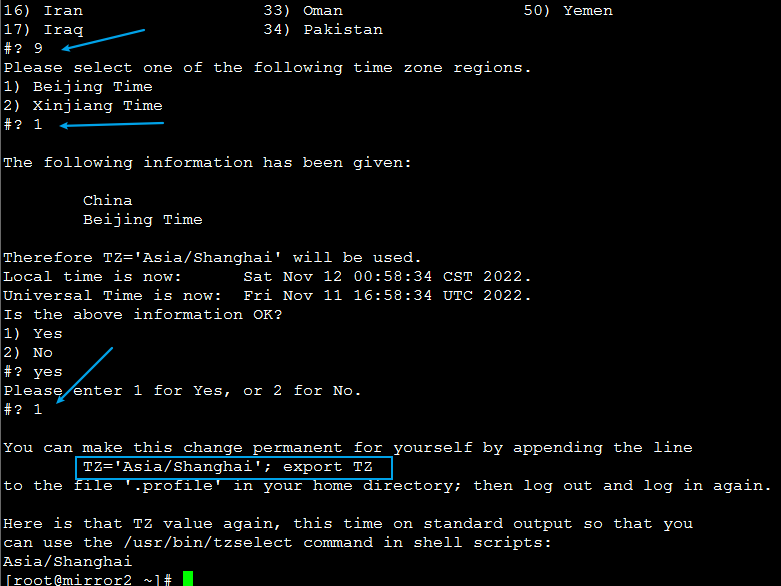
Finally, we enter “1” to confirm.
Execute the following command:
TZ='Asia/Shanghai'; export TZ
Check the time:
date -R