

When editing a document as a regular user in Linux, you may encounter the “W10: Warning: Changing a readonly file” prompt. Here is the solution:
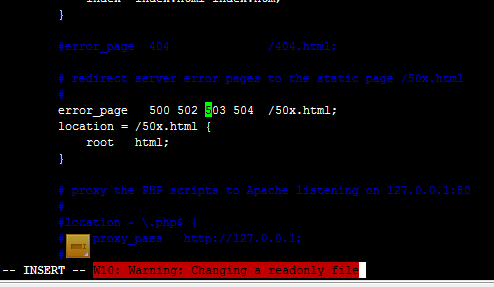
Normally, you can save by pressing i to edit, then pressing ESC followed by Shift+Z+Z. If you encounter the above error, press ESC to exit edit mode after finishing your changes, then type:
:wq!
This will force save the