|
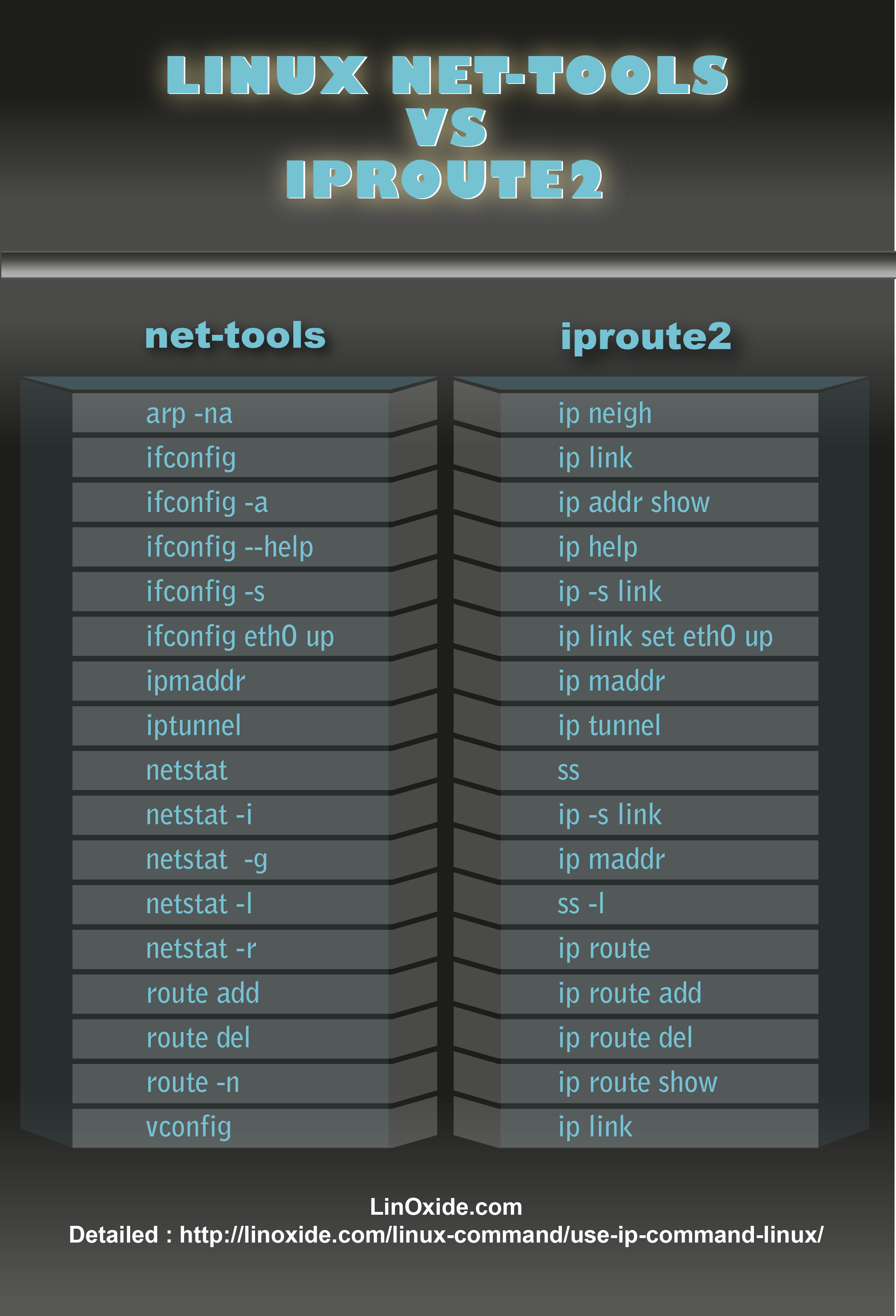
The Linuxipcommand andifconfigare similar, but ip is more powerful and designed to replace ifconfig. With ip, you can easily perform network management tasks. ifconfig is deprecated from net-tools, unmaintained for years. The iproute2 suite provides enhanced commands, with ip being one of them.
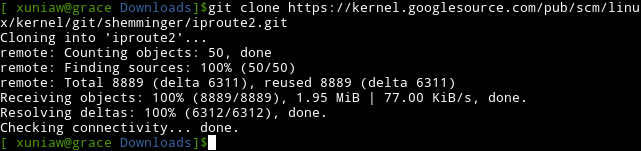
To install ip,click heredownloadthe iproute2 suite . However, most Linux distributions come with iproute2 pre-installed. You can also download the latest source with git:
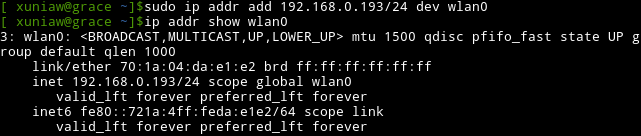
Set and Delete IP AddressesTo set an IP address, use this command:
Note the IP has a suffix like /24 (CIDR notation). In this example, the subnet mask is 255.255.255.0. After setting the IP, verify it has taken effect:
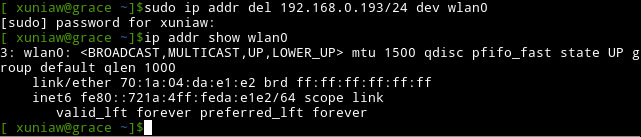
Delete an IP by using del instead of add:
List Routing Table EntriesThe ip route object helps you view and set routing data. The first entry is the default route. This example shows multiple routes across different interfaces including WiFi, Ethernet, and a point-to-point connection.
To find which route a packet takes from an IP, use:
Change Default RouteTo change the default route:
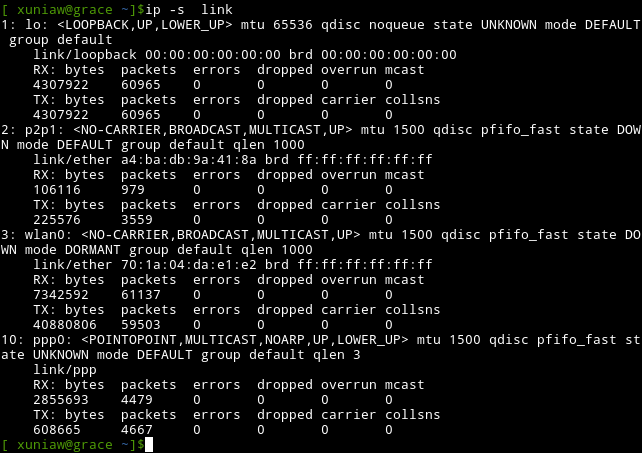
Show Network StatisticsDisplay statistics for different network interfaces:
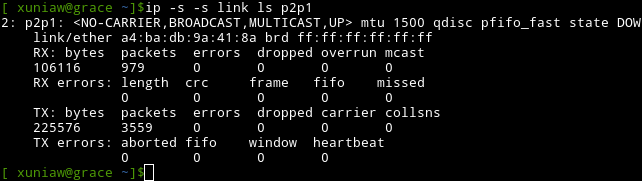
To get info on a specific interface, add thelsoption. Using multiple-sgives more detailed info, useful for troubleshooting.
ARP EntriesARP converts IP addresses to MAC addresses. Use ip neigh or ip neighbour to view devices on your LAN.
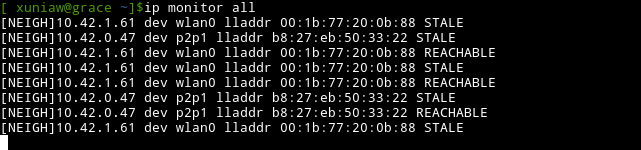
Monitor netlink MessagesThe monitor option lets you view network device status, classifying devices as REACHABLE or STALE:
Activate and Deactivate Network InterfacesUse ip link set dev up/down to activate/deactivate an interface, similar to ifconfig. This example shows routing table entries when ppp0 is activated, stopped, and reactivated.
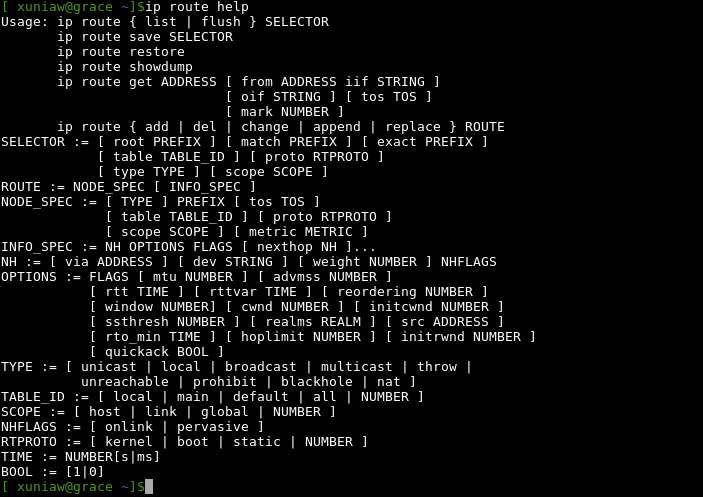
Get HelpWhen stuck on a specific option, use help. The man page lacks usage examples, so help is your friend. For example, to learn more about route:
SummaryFor network admins and Linux users, the ip command is essential. It is time to abandon ifconfig, especially when writing scripts. via: http://linoxide.com/linux-command/use-ip-command-linux/ |