

Here using CentOS as an example,let’s share the method for cracking the root password::
1. When you see the boot menu during startup, use the up/down arrow keys to select the system whose password you’ve forgotten, then press “e”.
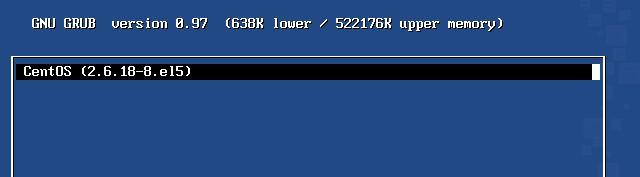
2. Next, you will see a screen like the one shown below. Use the up/down arrow keys to select the latest kernel, then press “e” again.
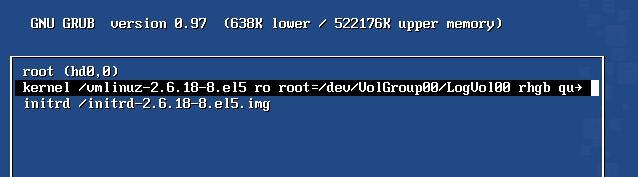
3. After completing the previous step, you will see the screen below. At the end of “rhgb quiet”, add a “space”, then type “single”, or simply enter the number “1” and press Enter to confirm.
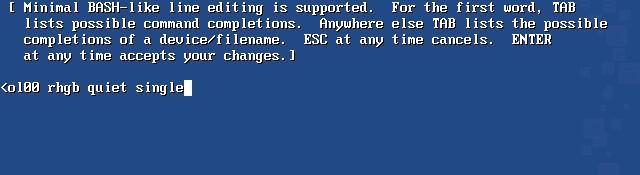
4. Press the “b” key to reboot the system.
5. Once you are in the system, you can use the familiar: passwd root to change the root password.
For example, if the root password is set to: 123456
# passwd root
# Enter password: 123456
# Re-enter password: 123456
6. After the change, just reboot.