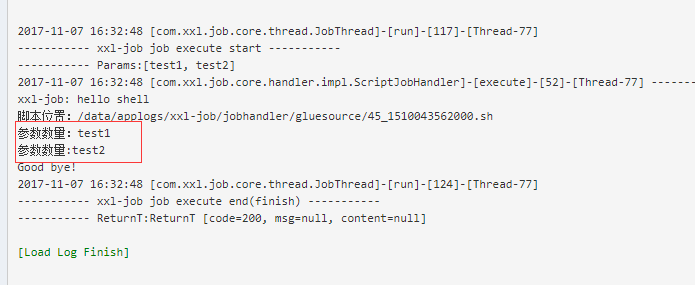
Here is an example using a shell script:
Create a new shell script schedule -> Execution Parameters -> Fill in the relevant parameters (separate multiple parameters with an English ",") -> Click Save:
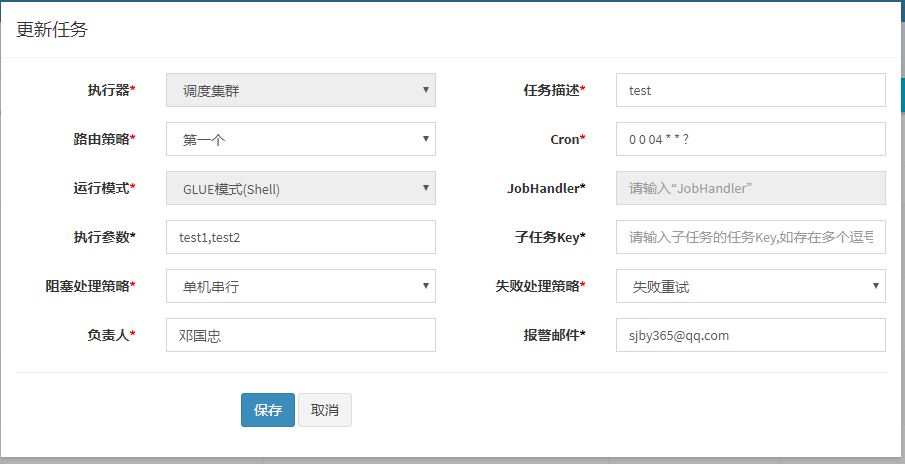
Click "GLUE", the script is as follows ($1 is the first parameter, $2 is the second):
#!/bin/bash
echo "xxl-job: hello shell"
echo "Script location: $0"
echo "Parameter count: $1"
echo "Parameter count: $2"
echo "Good bye!"
exit 0
Click "Execute", the result is as follows: