

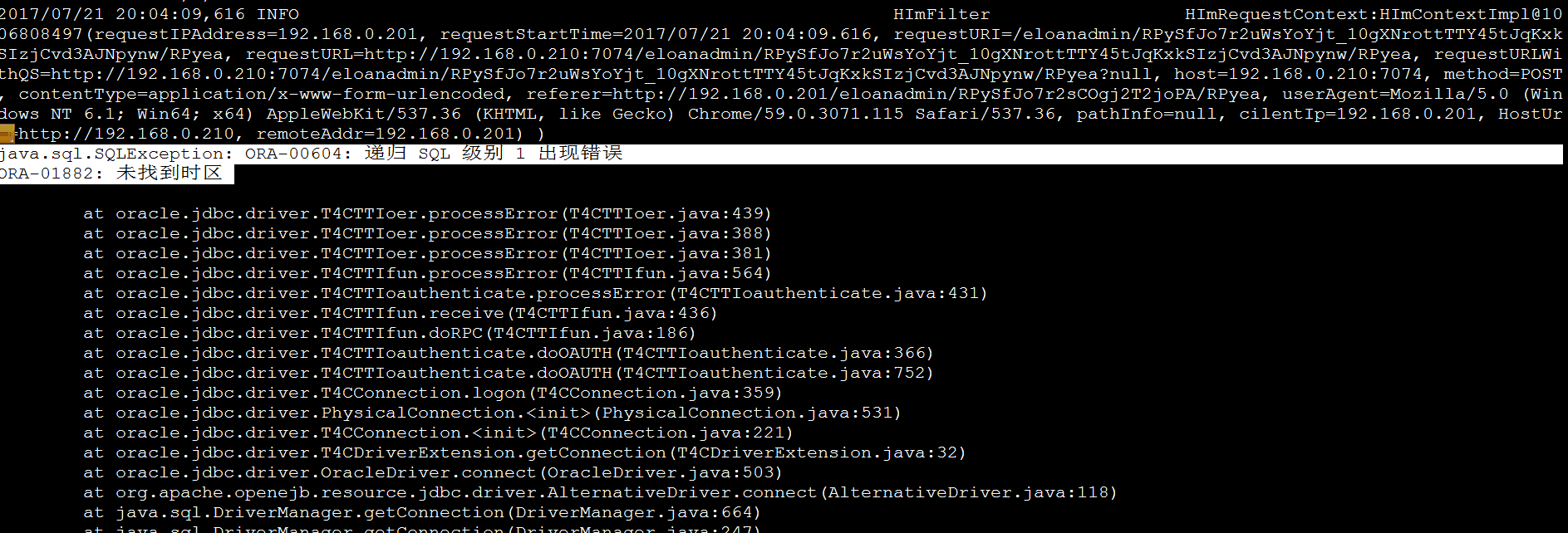
Symptom: The container time and system time are out of sync. When entering the container, the timezone is shown as “Etc/UTC ”, and the log throws the following error:
java.sql.SQLException: ORA-00604: error occurred at recursive SQL level 1 ORA-01882: timezone region not found at oracle.jdbc.driver.T4CTTIoer.processError(T4CTTIoer.java:439) at oracle.jdbc.driver.T4CTTIoer.processError(T4CTTIoer.java:388) at oracle.jdbc.driver.T4CTTIoer.processError(T4CTTIoer.java:381) at oracle.jdbc.driver.T4CTTIfun.processError(T4CTTIfun.java:564) at oracle.jdbc.driver.T4CTTIoauthenticate.processError(T4CTTIoauthenticate.java:431) at oracle.jdbc.driver.T4CTTIfun.receive(T4CTTIfun.java:436) at oracle.jdbc.driver.T4CTTIfun.doRPC(T4CTTIfun.java:186)
Solution:
docker exec -it t1 bash #Access the container. Replace t1 with your own container name.
root@356de7dedb7f:~# cat /etc/timezone #Check the current timezone in use
Etc/UTC
root@356de7dedb7f:~# echo "Etc/CST" > /etc/timezone #Change to the new timezone
root@356de7dedb7f:~# cat /etc/timezone #Verify the updated timezone
Etc/CST
root@356de7dedb7f:~# exit #Exit the container
exit
[root@localhost tomee]# docker stop t4 #Stop the container
t4
[root@localhost tomee]# docker start t4 #Start the container
t4
docker logs -f t4 #Check if the log output matches the host
It is recommended to modify the relevant settings directly when building the image to avoid similar issues.