

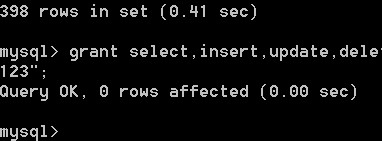
Adding Users:
(Note: Unlike the above, the following commands are executed within the MySQL environment, so they all end with a semicolon as the command terminator)
Format: grant select on database.* to username@login_host identified by “password”
Example 1:
To add a user test1 with the password abc, allowing them to log in from any host and have query, insert, modify, and delete privileges on all databases. First, connect to MySQL as the root user, then type the following command:
grant select,insert,update,delete on *.* to test@“%” Identified by “abc”;
However, this added user is extremely dangerous. If someone knows test’s password, they could log into your MySQL database from any computer on the internet and do whatever they want with your data. See Example 2 for the solution:
Example 2: Add a user test with the password abc, allowing them to log in only from localhost, and granting them query, insert, modify, and delete privileges on the database book (localhost refers to the local host, i.e., the machine where the MySQL database resides). This way, even if someone knows test’s password, they cannot directly access the database from the internet.
mysql> grant select,insert,update,delete on book.* to test@localhost Identified by "abc";
If you don’t want test2 to have a password, you can run another command to remove the password.
mysql> grant select,insert,update,delete on book.* to test@localhost Identified by "";