

Use a data cable to connect your laptop to a monitor (TV or projector). Then press the Windows+P shortcut on your keyboard:
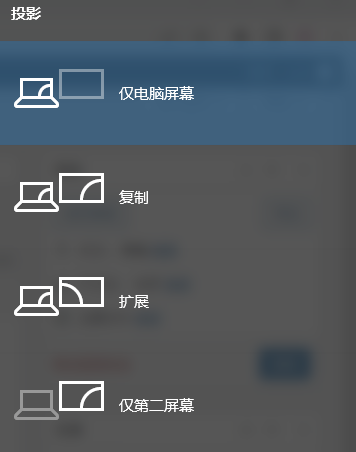
Choose the mode that suits your needs from the screen projection options above. Duplicate mirrors the same content on both screens. Extend creates an independent new screen, allowing you to operate on both displays without interfering with each other.