

What should you pay attention to when upgrading your computer’s memory? Let’s briefly discuss that in this article.
Installing memory sticks yourself is not as complicated as it might seem. Even for the relatively more complex installation in laptops, there are plenty of disassembly tutorials available online.
Of course, when buying memory sticks yourself, there are a few things to keep in mind to avoid compatibility issues after installation.
The first is the memory generation, such as the now common DDR4 and DDR5 memory sticks, or DDR3 in older computers. These can all be easily detected through software.
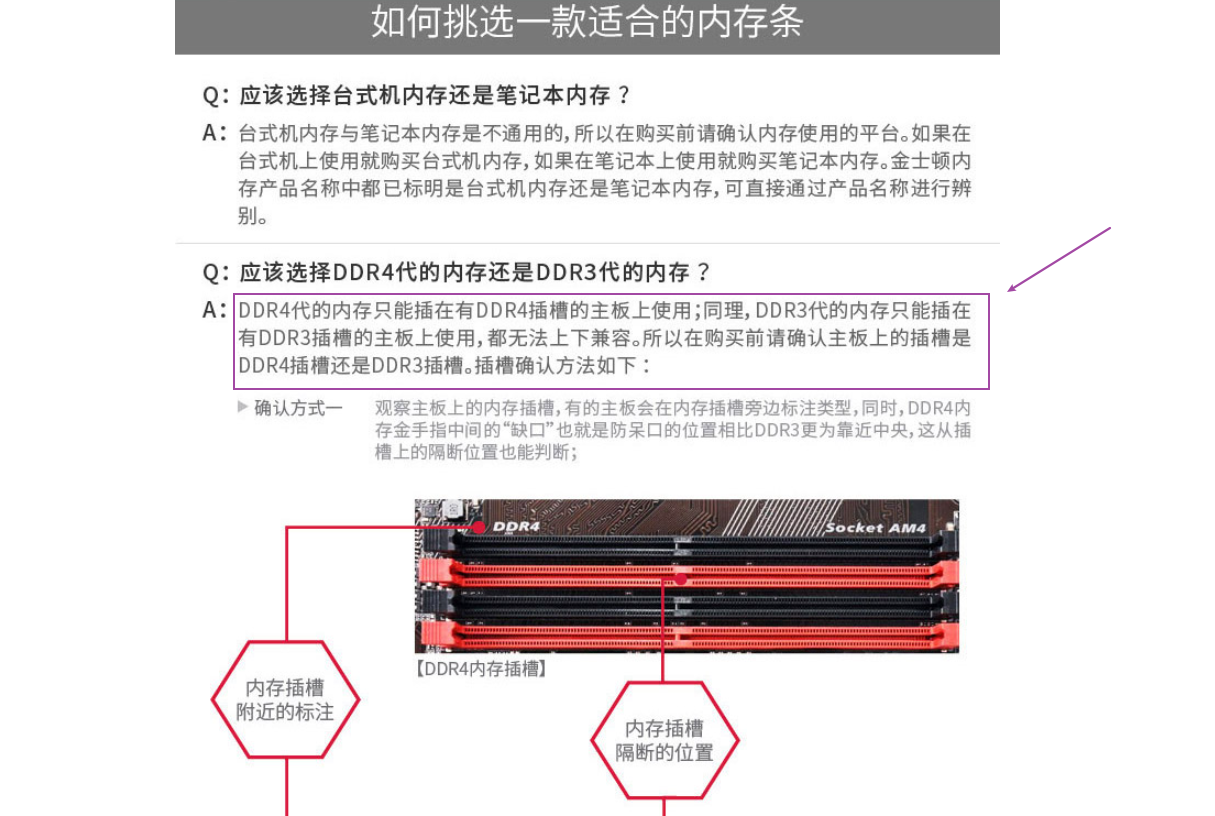
When making a purchase, make sure to match the generation of your existing memory sticks. Mixing different generations often leads to incompatibility issues. To avoid these problems, get memory sticks of the same generation. Of course, if you buy online, this specification is generally labeled very clearly.
The second is frequency. The frequency of the new memory stick should ideally match that of your existing memory, otherwise downclocking will occur and affect performance. For example, if your current memory runs at around 1300MHz and you add a 1600MHz stick, the new memory will downclock to 1300MHz to accommodate the older memory.
Although higher-frequency memory will downclock to match lower-frequency memory, stability and performance can still be impacted.
The third is voltage, especially for laptops. Your computer might use low-voltage or standard-voltage memory. Typically, standard-voltage offers slightly better performance and costs a bit more. For some older memory types (DDR3), standard-voltage is compatible with low-voltage, but low-voltage is not compatible with standard-voltage. So, choose according to your specific hardware situation.
The final point is brand. When buying, choosing the same brand and same frequency as your existing memory will generally save you a lot of trouble, and you won’t have to worry