

git pull fetching code directly opens a file and prompts:
Please enter a commit message to explain why this merge is necessary.
Translated, it means: Please enter a commit message to explain why this merge is necessary.
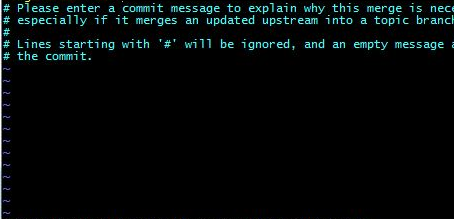
Solution: Ignore it and simply save and exit.
1. Press the "Esc" key in the upper left corner of your keyboard.
2. Type ":wq", note that it is a colon followed by wq, then press Enter.
After saving, it will automatically pull the latest changes.