

1. Stop the instance.
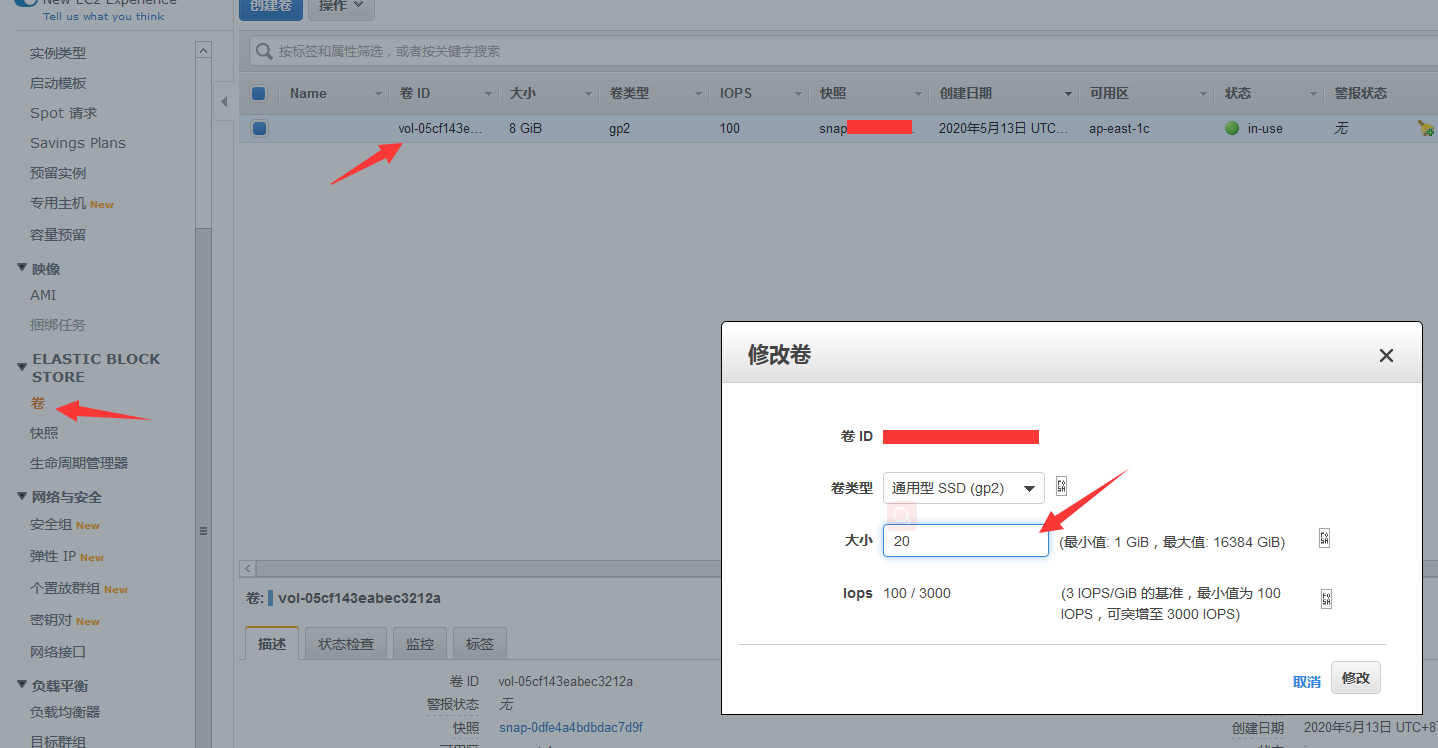
2. In the Elastic Block Store, click “Volumes” -> right-click “Modify Volume” -> enter the new size and confirm.
3. Start the instance.
1. Stop the instance.
2. In the Elastic Block Store, click “Volumes” -> right-click “Modify Volume” -> enter the new size and confirm.
3. Start the instance.