How to Enable PHP Opcache for Performance Boost
For PHP 5.5 and above, you can use the built-in Opcache to accelerate performance (it is disabled by default). Starting from PHP 5.5, Opcache can be enabled directly with –enable-opcache. For PHP versions below 5.5, you can use APC for caching. Now let’s see how to enable Opcache.
1. Open the php.ini file
Find the configuration file in the PHP installation path. If you don’t know its location, use the php -i command to find the path of the php.ini file.
php -i | grep php.ini
Configuration File (php.ini) Path => /usr/local/php/etc
Loaded Configuration File => /usr/local/php/etc/php.ini
This reveals the PHP configuration file:
/usr/local/php/etc/php.ini
2. Configure Opcache by removing the leading “ ; ” semicolons below
vi /usr/local/php/etc/php.ini
[opcache]
opcache.enable=1
opcache.memory_consumption=128
opcache.validate_timestamps=60
zend_extension="opcache.so" # Remove the leading semicolon; if this line is absent, add it at the end of the file.
3. Restart the php-fpm service to apply the configuration.
service php-fpm restart
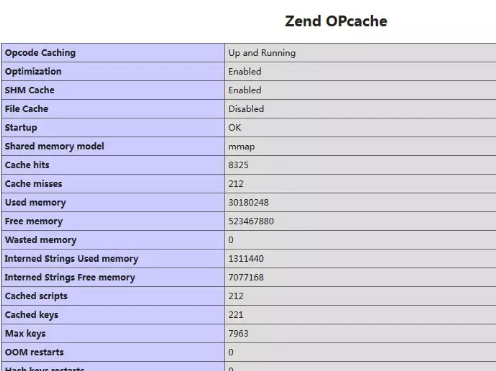
Use php -m to check if Opcache is active. If a probe page shows the following, it means Opcache is enabled: