

When debugging ASP applications on IIS 7.5 installed on Windows 7 or Server 2008, the following error occurs:
An error occurred on the server when processing the URL. Please contact the system administrator
Open IIS7’s ASP Settings, expand the “Debugging Properties” section, and change “Send Errors to Browser” from its default False to True, then click Apply on the right. As shown in the image:
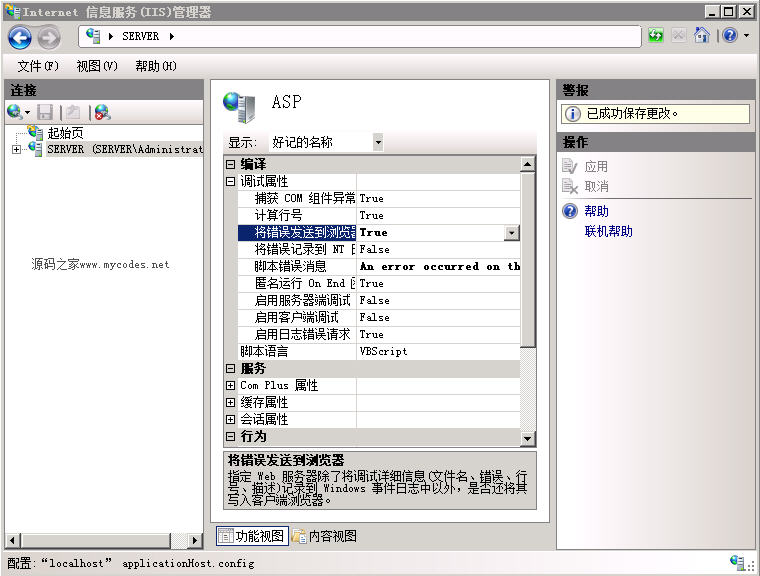
After applying the settings above, revisiting the erroneous ASP page in the browser will display detailed error information, facilitating debugging. For public-facing web servers, it is recommended not to enable this option to prevent error details from being exploited by others.