

在WINDOWS7或SERVER2008上安装了IIS7.5,调试ASP程序时出现以下错误:
An error occurred on the server when processing the URL. Please contact the system administrator
打开IIS7的asp设置,展开“调试属性”选项,“将错误发送到浏览器”这项默认的是False,改为True,然后点右侧的应用!如图所示:
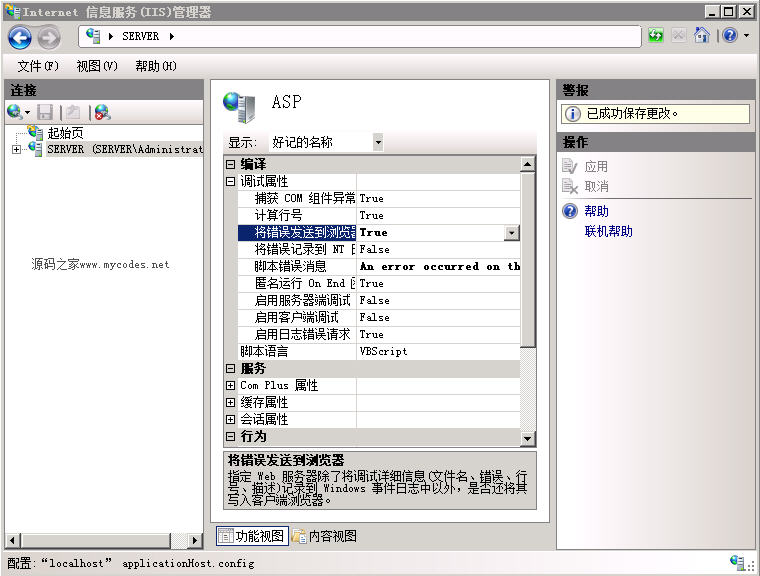
通过以上设置后,再从浏览时打开出错ASP页面时就能看到页面出错的详细信息,方使调试。如果是公开的Web服务器建议不要打开此选项,以防出错信息被他人利用。