

For Apache 2.4.10 configuration, please refer to:
Install VC11 Runtime Library from:
Now let’s dive straight into configuring PHP 5.5.15/5.5.16:
1. Download PHP 5.5.15/5.5.16. Below is the PHP 5.5.16 version:
or
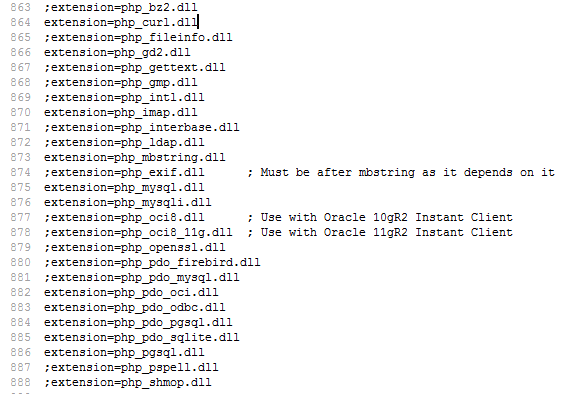
2. Copy php.ini-development and rename it to php.ini, then modify the following parameters:
;extension_dir = "ext"
to
extension_dir = "d:/php5.5/ext"
Enable extensions (adjust according to your own needs):
Change ;extension=php_mbstring.dll to extension=php_mbstring.dll (remove the semicolon before extension, this is the PHP multibyte string extension)Change ;extension=php_mysql.dll to extension=php_mysql.dll (remove the semicolon before extension)Change ;extension=php_mysqli.dll to extension=php_mysqli.dll (remove the semicolon before extension)……
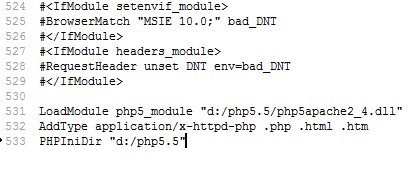
3. Edit the httpd.conf file and add the following at the bottom:
LoadModule php5_module "d:/php5.5/php5apache2_4.dll"AddType application/x-httpd-php .php .html .htmPHPIniDir "d:/php5.5"
Modify:
DirectoryIndex index.html
to
DirectoryIndex index.html index.php
4. Start Apache:
net start apache2.4
If the following messages appear, it indicates a successful start:
The Apache2.4 service is starting.The Apache2.4 service was started successfully.
5. Testing: download the script and view it through your browser:
http://localhost/info.php
Attachment download:https://www.cnop.net/uploadfile/2014/0807/20140807044859396.rar