1. Since PHP 5.2, the installation method has been changed to FastCGI mode, so installing the latest PHP 5.4 requires installing FastCGI first.
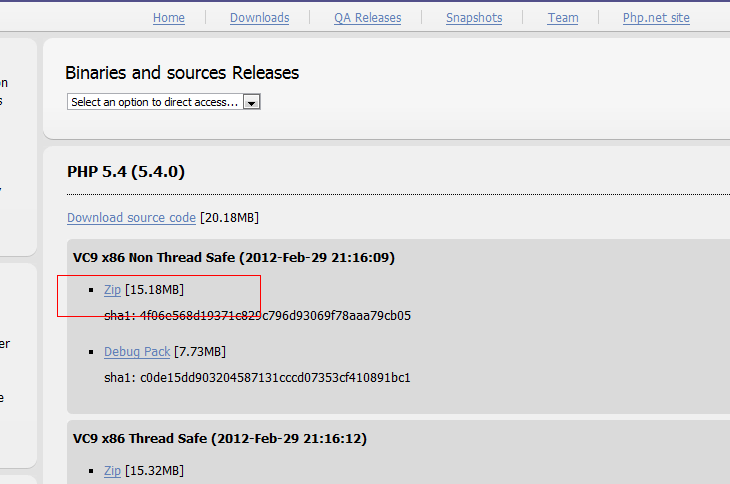
2. Download the latest PHP code
Download address: http://windows.php.net/download/
Download the non-thread-safe version; choose the appropriate version based on your needs.
3. To run PHP 5.4, the VC9 runtime library is required. Download it from the following address:
http://www.microsoft.com/downloads/zh-cn/details.aspx?displaylang=zh-cn&FamilyID=9b2da534-3e03-4391-8a4d-074b9f2bc1bf
Run the installer directly after downloading.
If not installed, the following error will occur:
xp The FastCGI Handler was unable to process the request
Error Number:14001
4. Extract the downloaded php-5.4.0-nts-Win32-VC9-x86.zip file and place it in any location, e.g.: d:/php5
Rename php.ini-development inside to php.ini
5. Modify php.ini as follows:
; On windows:
extension_dir ="d:/php5/ext"
(Remove the leading semicolon)
extension=php_curl.dll
extension=php_gd2.dll
extension=php_gettext.dll
extension=php_mbstring.dll
extension=php_exif.dll
extension=php_mysql.dll
extension=php_pdo_mysql.dll
extension=php_xmlrpc.dll
extension=php_zip.dll
fastcgi.impersonate = 1
?
Change
;date.timezone
to
date.timezone = Asia/Shanghai
6. Modify the fcgiext.ini file
This file appears in the following directory after completing step 1: C:/WINDOWS/system32/inetsrv
Add the following code at the end of the fcgiext.ini file:
[Types]
php=PHP
[PHP]
ExePath=D:/php5/php-cgi.exe
Note: Keep only one [Types] section. D:/php5/php-cgi.exe and PHPRC:/php5/ paths should match your PHP installation directory. Otherwise the following error occurs:
FastCGI Error
The FastCGI Handler was unable to process the request.
——————————————————————————–
Error Details:
Could not find entry for "php" on site 1 in [Types] section.
Error Number: 1413 (0x80070585).
Error Description: Invalid index.
HTTP Error 500 – Server Error.
Internet Information Services (IIS)
C:/WINDOWS/system32/inetsrv/fcgiext.ini
This error occurs because of incorrect configuration in C:/WINDOWS/system32/inetsrv/fcgiext.ini. The correct configuration is mentioned above.
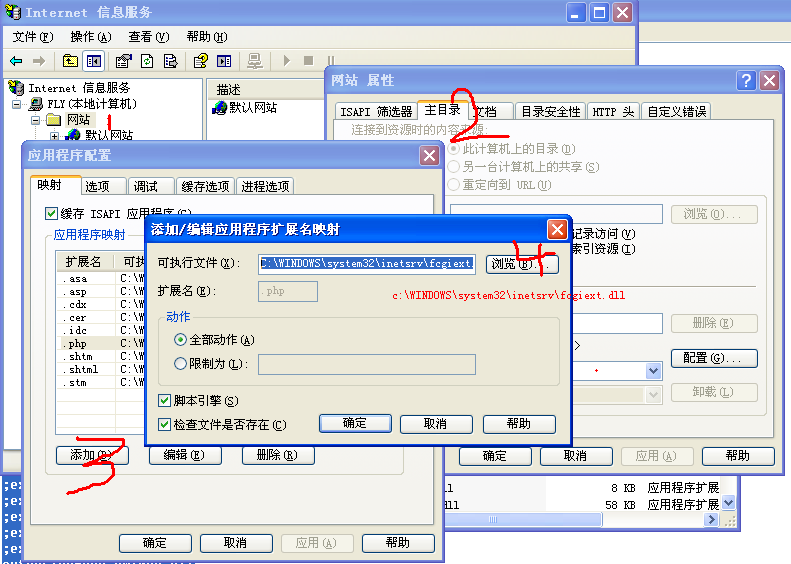
7. IIS Configuration
Prerequisite: IIS must already be installed. Configure the website properties as shown below:
Run a test program with the following code:
< ?php phpinfo();?>
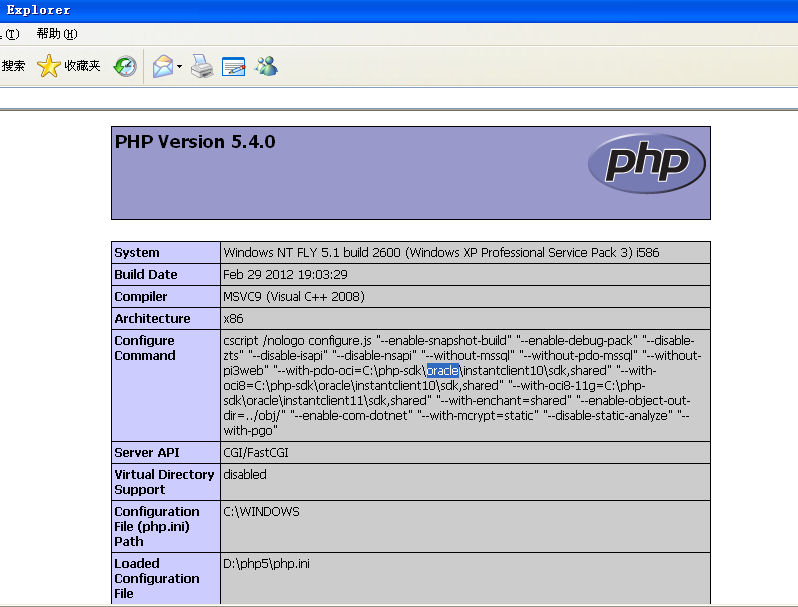
The following screenshot confirms the installation is complete: