

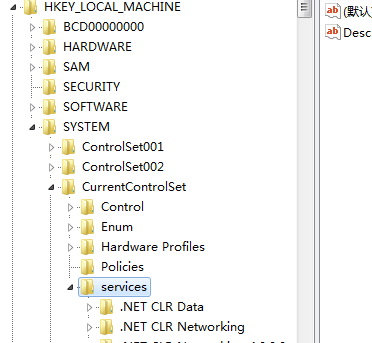
As for deleting service entries, Windows may not allow it directly. If you really want to completely remove one, open the Registry Editor (“Start”—“Run”—“regedit”), then navigate to HKEY_LOCAL_MACHINE/SYSTEM/ControlSet001/Services, and delete the service entry you wish to remove from the registry. Remember to restart afterwards.