

这里以openresty-1.19.9.1为例。
yum -y install epel-release perl pcre-devel openssl-devel gcc curl unzip wget zip
useradd www
cd /home && wget https://mirror.cnop.net/web/openresty/openresty-1.19.9.1.tar.gz
tar zxvf openresty-1.19.9.1.tar.gz && cd openresty-1.19.9.1
./configure –user=www –group=www –prefix=/usr/local/openresty –with-pcre –with-stream –with-threads –with-file-aio –with-http_v2_module –with-http_ssl_module –with-http_realip_module –with-http_gzip_static_module –with-http_stub_status_module
make && sudo make install
ln -sf /usr/local/openresty/nginx/sbin/nginx /usr/local/bin/nginx
ln -sf /usr/local/openresty/nginx/sbin/nginx /usr/sbin/nginx
cd /etc/init.d
wget https://mirror.cnop.net/web/openresty/openresty && mv openresty nginx
vi nginx #以下内容请根据自己的安装路径来修改
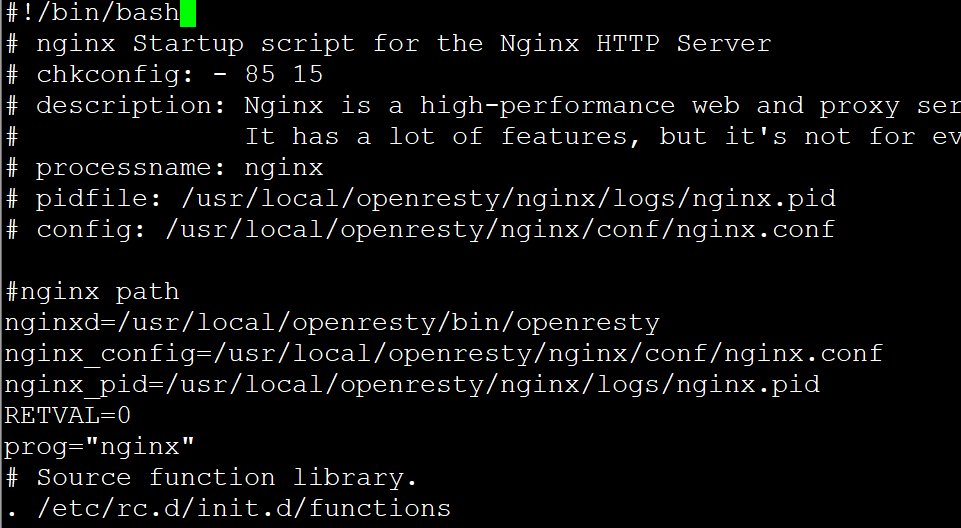
chmod +x nginx && chmod +x /etc/rc.d/rc.local
chkconfig –add nginx && systemctl daemon-reload && /sbin/chkconfig nginx on && systemctl start nginx.service
附件 https://www.cnop.net/uploadfile/2022/0113/20220113220628763.docx