

Prerequisites:
You can purchase an SSL certificate or obtain a free one from platforms like Qiniu Cloud. We won’t go into detail about that here.
Check if SSL is supported:
haproxy -vv
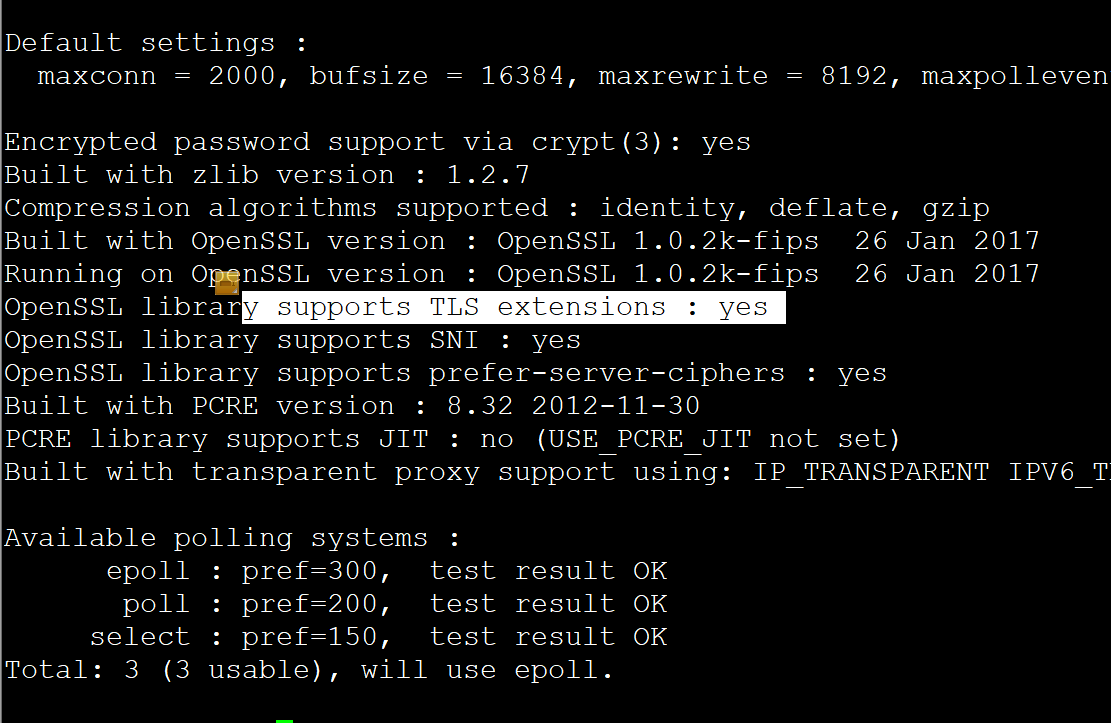
Combine into a pem certificate (download the certificate in nginx format):
cat test.com.crt test.com.key | tee test.com.pem
Edit the configuration file (adjust the path to your actual configuration file location):
vi /etc/haproxy/haproxy.cfg
#———————— test https ————————————-
frontend TEST
bind *:443 ssl crt /etc/haproxy/ssl/test,com.pem
mode http
acl TEST hdr_beg(host) -i test.com | www.test.com
use_backend TEST if TESTbackend TEST
mode http
option httpchk HEAD /TEST/haproxy.html #Adjust the check file to your own
balance roundrobin
server SVR1 appsvr1:8080 check inter 5s rise 3 fall 3
server SVR2 appsvr2:8080 check inter 5s rise 3 fall 3
Validate the configuration file:
haproxy -c -f /etc/haproxy/haproxy.cfg
Configuration file is valid
HAProxy online reload command:
service haproxy reload
HAProxy direct restart command:
systemctl restart haproxy
HAProxy status check command:
systemctl status haproxy