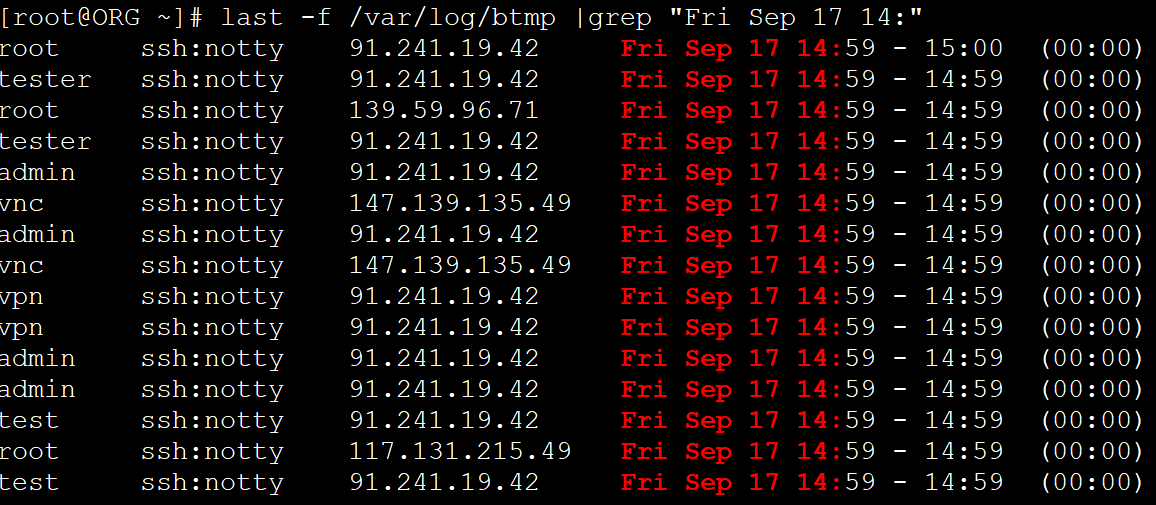
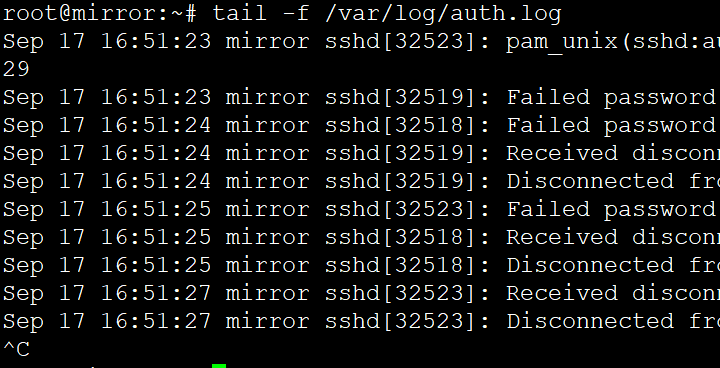
Home › System › Linux › How to Check System User Login Logs in Linux How to Check System User Login Logs in Linux Categories: Linux 2021-09-17 root Comments (0) CentOS: last -f /var/log/btmp last -f /var/log/btmp |grep "Fri Sep 17" # Add filter criteria to search Debian: tail -f /var/log/auth.log « Previous Linux: Find All Files Containing a Specific String Next »How to Extract Substrings Using the cut Command in Linux Shell Scripts Related Posts DataX MySQL to ClickHouse Data Sync Example 2025-06-03 How to Self-Host a RustDesk Server 2024-08-26 How to Install Google Pinyin Input Method on Linux 2024-06-01 How to Fix “Failed to Handler Mux Client Connection” 2024-01-13 How to Sync Linux Server Time With Internet 2024-01-13 How to Install the GPM PHP Extension 2022-12-04 Leave a Comment Cancel replyYour email address will not be published.Comment * Name * Email * Website Save my name, email, and website in this browser for the next time I comment. Δ