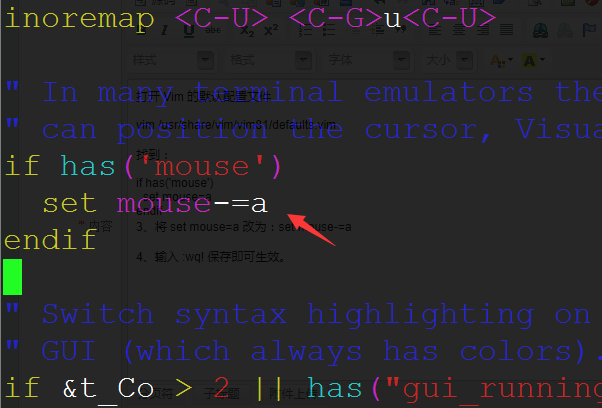
Home › System › Linux › Debian 10 Vim/Vi Right-Click Paste Not Working Fix Debian 10 Vim/Vi Right-Click Paste Not Working Fix Categories: Linux 2020-04-08 root Comments (0) Open Vim’s default configuration file vim /usr/share/vim/vim81/defaults.vim Find: if has('mouse') set mouse=a endif set mouse=a Change it to: set mouse-=a Type :wq! to save and apply the changes immediately. « Previous Ubuntu Firewall: How to Check Status, Disable, and Enable Next »How to Fix vncserver@:1.service Failed Because a Configured Resource Error Related Posts DataX MySQL to ClickHouse Data Sync Example 2025-06-03 How to Self-Host a RustDesk Server 2024-08-26 How to Install Google Pinyin Input Method on Linux 2024-06-01 How to Fix “Failed to Handler Mux Client Connection” 2024-01-13 How to Sync Linux Server Time With Internet 2024-01-13 How to Install the GPM PHP Extension 2022-12-04 Leave a Comment Cancel replyYour email address will not be published.Comment * Name * Email * Website Save my name, email, and website in this browser for the next time I comment. Δ