

Linux Root Cannot Delete File Fix
Logged in as root user, attempting to delete a file:
rm -f root
Deletion fails:
rm: cannot remove 'root': Opreation not permitted
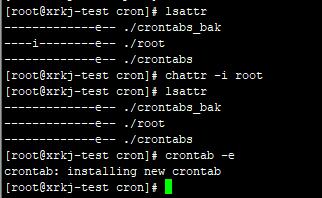
Checking file attributes:
[root@xrkj-test cron]# lsattr
————-e– ./crontabs_bak
—-i——–e– ./root
————-e– ./crontabs
An ‘i’ attribute is found. After looking up this attribute via the lsattr command introduction, it turns out that a file with the ‘i’ attribute cannot be deleted, renamed, linked, written to, or appended.
Removing the ‘i’ attribute:
[root@xrkj-test cron]# chattr -i root
Checking again:
[root@xrkj-test cron]# lsattr
————-e– ./crontabs_bak
————-e– ./root
————-e– ./crontabs
Now the file can be deleted normally.