

The crontab command is commonly found in Unix and Linux operating systems and is used to schedule commands to be executed periodically. The command reads instructions from standard input and stores them in a “crontab” file for later retrieval and execution. Typically, the instructions stored in crontab are activated by a daemon process. crond often runs in the background, checking every minute if there are scheduled jobs to execute. These jobs are generally called cron jobs.
1. Installation
yum -y install vixie-cron
yum -y install crontabs
Explanation:
The vixie-cron package is the main program for cron;
The crontabs package is a program used to install, uninstall, or list the tables that drive the cron daemon.
2. Configuration
Cron is a built-in service in Linux, but it does not start automatically. You can start and stop this service using the following methods:
service crond start //Start the service
service crond stop //Stop the service
service crond restart //Restart the service
service crond reload //Reload configuration
service crond status //Check crontab service status
To enable automatic startup on boot in CentOS:
chkconfig –level 345 crond on
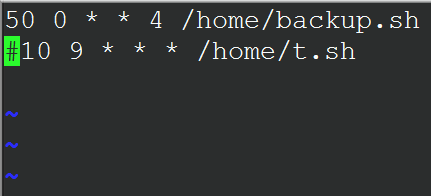
Examples:
01 * * * * root run-parts /etc/cron.hourly
02 4 * * * root run-parts /etc/cron.daily
22 4 * * 0 root run-parts /etc/cron.weekly
42 4 1 * * root run-parts /etc/cron.monthly