

If you’re a webmaster, XAMPP is definitely no stranger to you. If you want to quickly set up an Apache host for a test website, this is an excellent choice. XAMPP is a completely free and easy-to-install Apache distribution containing MySQL, PHP, and Perl. The XAMPP open-source package setup makes installation and use surprisingly easy.
XAMPP offers cross-platform support for operating systems like Linux, Windows, and macOS.
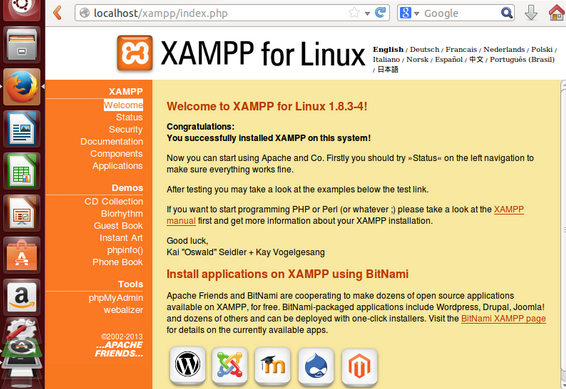
The latest version, XAMPP 1.8.3.4, is available. Users can download the .run installation package from the official website.
Installing XAMPP 1.8.3.4 for 32-bit Linux system users:
cd /tmp
wget http://www.apachefriends.org/download.php?xampp-linux-1.8.3-4-installer.run
chmod 755 xampp-linux-1.8.3-4-installer.run
sudo ./xampp-linux-1.8.3-4-installer.run
Installing XAMPP 1.8.3.4 for 64-bit Linux system users:
cd /tmp
wget http://www.apachefriends.org/download.php?xampp-linux-x64-1.8.3-4-installer.run
chmod 755 xampp-linux-x64-1.8.3-4-installer.run
sudo ./xampp-linux-x64-1.8.3-4-installer.run
Next, follow the instructions in the graphical user interface.
Furthermore, for better integrated management on the desktop, create the following links:
sudo ln -s ~/.themes /root/.themes
sudo ln -s ~/.icons /root/.icons
sudo ln -s ~/.fonts /root/.fonts
To test if XAMPP has been installed successfully, restart the LAMPP service:
sudo /opt/lampp/lampp restart
Open your browser and visit: 127.0.0.1
Users on other systems can download the installation package: