|
RainLoop is an open-source, free webmail client written in PHP. It supports mainstream mail servers including Google, Yahoo, and Outlook, as well as your own local mail server. It essentially looks like an MUA (mail client) using IMAP and SMTP protocols.
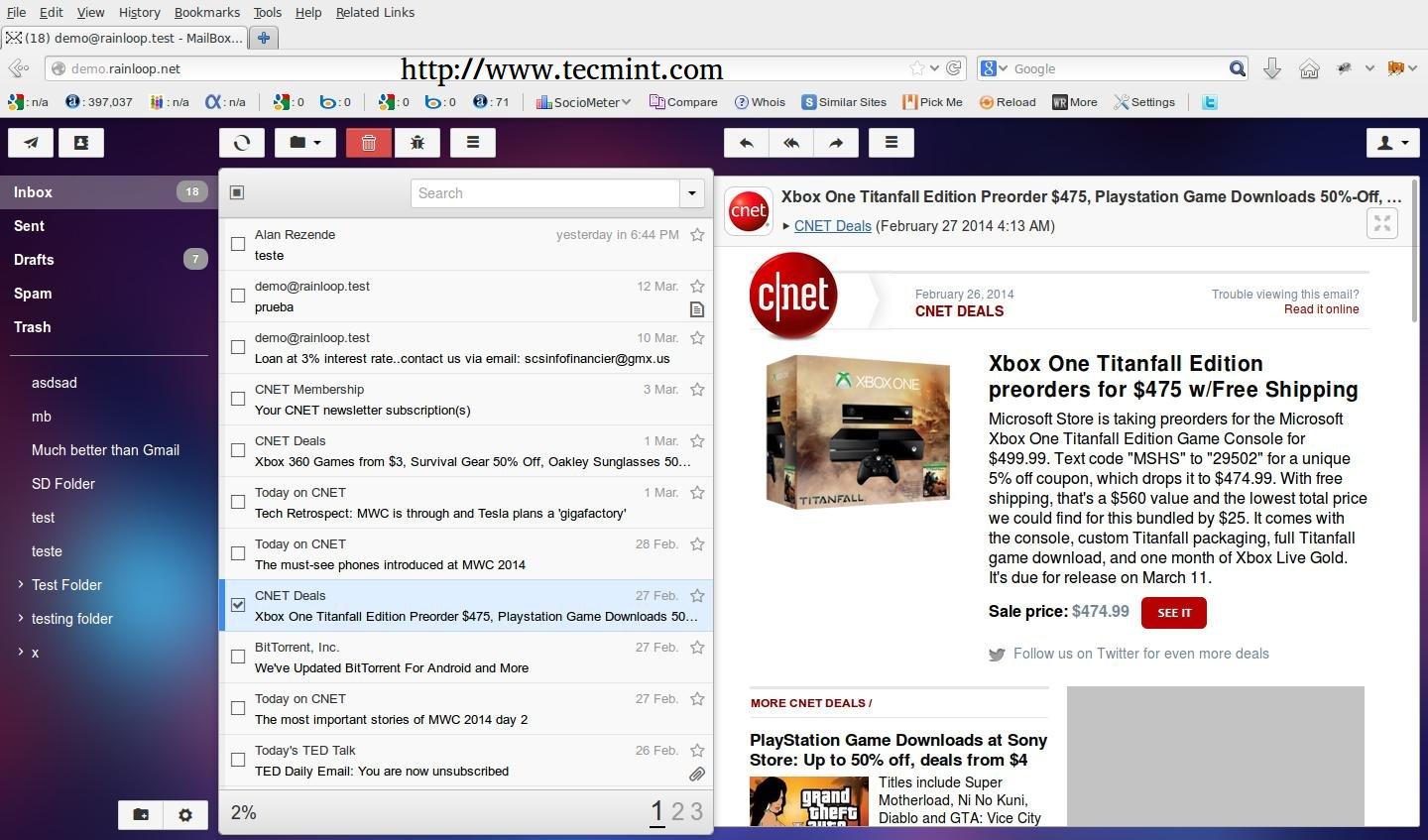
RainLoop Demo
Check out the demo page from the RainLoop author: http://demo.rainloop.net/。
Arch LinuxRainLoop
Rainloop,WebRainloop,。
Arch LinuxRainloop , Apache Nginx, Hosts,DNS。
If you also need references on installing Rainloop on Debian and Red Hat systems visit the previous RainLoop Webmail article at.
Debian Red Hat RainLoop Webmail ,:
Ubuntu RainLoop Webmail ,:
Nginx
Apache
Step 1: Nginx Apache
1. ,(NginxApache),Hosts,Arch LinuxIP。
Linux, /etc/hosts localhost Rainloop 。:
- 127.0.0.1 localhost.localdomain localhost rainloop.lan
- 192.168.1.33 rainloop.lan
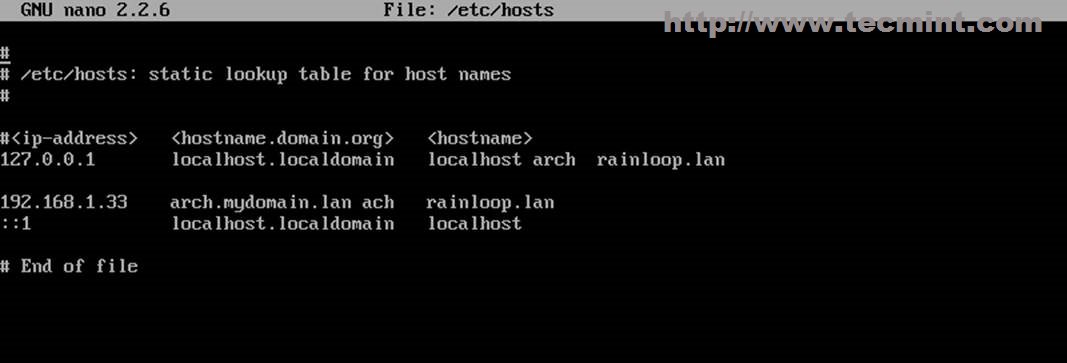
Windows, C:/Windows/System32/drivers/etc/hosts :
- 192.168.1.33 rainloop.lan
2. ping Rainloop , Apache Nginx Virtual Host SSL 。
Nginx Virtual Host
/etc/nginx/sites-available/ rainloop.lan:
- $ sudo nano /etc/nginx/sites–available/rainloop.conf
:
- server {
- listen 80;
- server_name rainloop.lan;
-
- rewrite ^ https://$server_name$request_uri? permanent;
- access_log /var/log/nginx/rainloop.lan.access.log;
- error_log /var/log/nginx/rainloop.lan.error.log;
- root /srv/www/rainloop/;
-
- # serve static files
- location ~ ^/(images|javascript|js|css|flash|media|static)/ {
- root /srv/www/rainloop/;
- expires 30d;
- }
-
- location / {
- index index.html index.htm index.php;
- autoindex on;
- autoindex_exact_size off;
- autoindex_localtime on;
- }
-
- location ^~ /data {
- deny all;
- }
-
- location ~ /.php$ {
- #fastcgi_pass 127.0.0.1:9000; (depending on your php-fpm socket configuration)
- fastcgi_pass unix:/run/php–fpm/php–fpm.sock;
- fastcgi_index index.php;
- include fastcgi.conf;
- }
- }
SSL:
- $ sudo nano /etc/nginx/sites–available/rainloop–ssl.conf
:
- server {
- listen 443 ssl;
- server_name rainloop.lan;
-
- ssl_certificate /etc/nginx/ssl/rainloop.lan.crt;
- ssl_certificate_key /etc/nginx/ssl/rainloop.lan.key;
- ssl_session_cache shared:SSL:1m;
- ssl_session_timeout 5m;
- ssl_ciphers HIGH:!aNULL:!MD5;
- ssl_prefer_server_ciphers on;
-
- access_log /var/log/nginx/rainloop.lan.access.log;
- error_log /var/log/nginx/rainloop.lan.error.log;
-
- root /srv/www/rainloop/;
-
- # serve static files
- location ~ ^/(images|javascript|js|css|flash|media|static)/ {
- root /srv/www/rainloop/;
- expires 30d;
- }
-
- location ^~ /data {
- deny all;
- }
-
- location / {
- index index.html index.htm index.php;
- autoindex on;
- autoindex_exact_size off;
- autoindex_localtime on;
- }
-
- location ~ /.php$ {
- #fastcgi_pass 127.0.0.1:9000; (depending on your php-fpm socket configuration)
- fastcgi_pass unix:/run/php–fpm/php–fpm.sock;
- fastcgi_index index.php;
- include fastcgi.conf;
- }
- }
CertificateKeys,Common Name*(rainloop.lan**)。
- $ sudo nginx_gen_ssl.sh
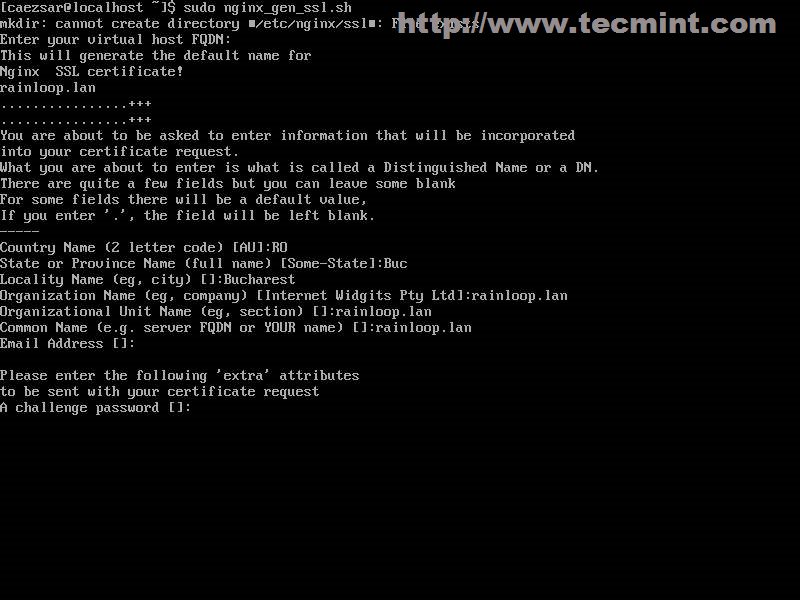
SSL,Rainloop Web(Rainloop PHP),,Nginx,。
- $ sudo mkdir –p /srv/www/rainloop
- $ sudo n2ensite rainloop
- $ sudo n2ensite rainloop–ssl
- $ sudo systemctl restart nginx
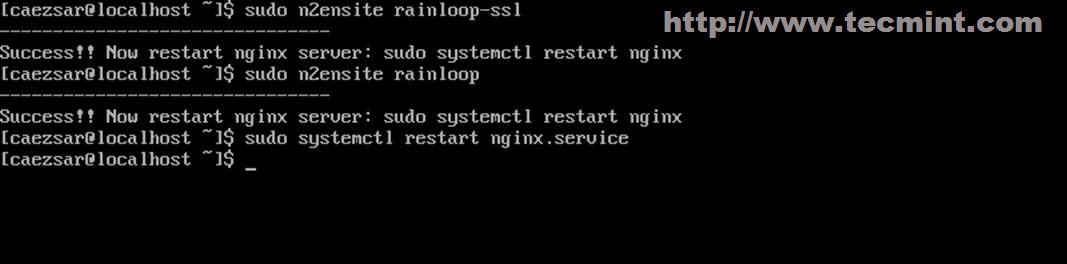
RainLoop
Apache Virtual Host
/etc/httpd/conf/sites-available/ rainloop.conf:
- $ sudo nano /etc/httpd/conf/sites–available/rainloop.conf
:
- <VirtualHost *:80>
- ServerName rainloop.lan
- DocumentRoot "/srv/www/rainloop/"
- ServerAdmin [email protected]
- ErrorLog "/var/log/httpd/rainloop-error_log"
- TransferLog "/var/log/httpd/rainloop-access_log"
- <Directory />
- Options +Indexes +FollowSymLinks +ExecCGI
- AllowOverride All
- Order deny,allow
- Allow from all
- Require all granted
- </Directory>
- </VirtualHost>
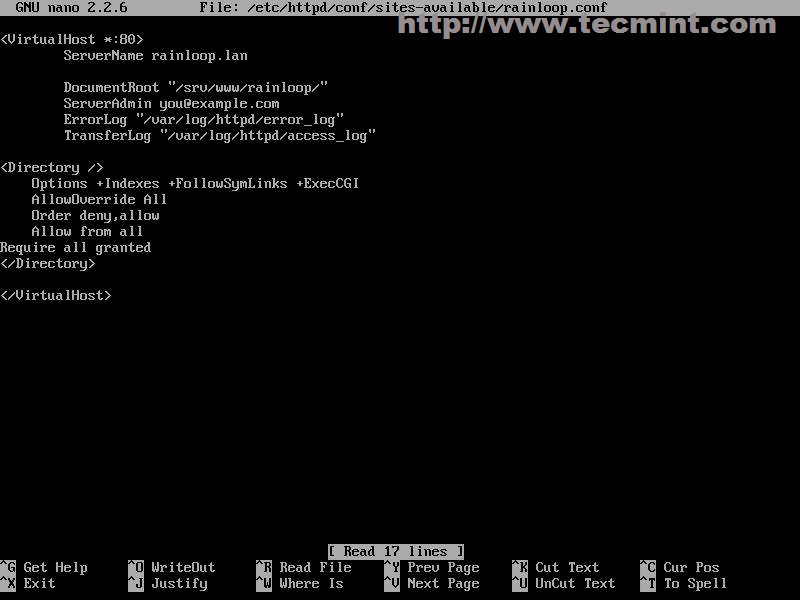
Apache
ApacheSSL:
- $ sudo nano /etc/httpd/conf/sites–available/rainloop–ssl.conf
:
- <VirtualHost *:443>
- ServerName rainloop.lan
- DocumentRoot "/srv/www/rainloop/"
- ServerAdmin [email protected]
- ErrorLog "/var/log/httpd/rainloop-ssl-error_log"
- TransferLog "/var/log/httpd/rainloop-ssl-access_log"
-
- SSLEngine on
- SSLCertificateFile "/etc/httpd/conf/ssl/rainloop.lan.crt"
- SSLCertificateKeyFile "/etc/httpd/conf/ssl/rainloop.lan.key"
-
- <FilesMatch "/.(cgi|shtml|phtml|php)$">
- SSLOptions +StdEnvVars
- </FilesMatch>
-
- BrowserMatch "MSIE [2-5]" /
- nokeepalive ssl-unclean-shutdown /
- downgrade-1.0 force-response-1.0
-
- CustomLog "/var/log/httpd/ssl_request_log" /
- "%t %h %{SSL_PROTOCOL}x %{SSL_CIPHER}x /"%r/" %b"
-
- <Directory />
- Options +Indexes +FollowSymLinks +ExecCGI
- AllowOverride All
- Order deny,allow
- Allow from all
- Require all granted
- </Directory>
- </VirtualHost>
CertificateKeys,Common Name*(rainloop.lan**)。
- $ sudo apache_gen_ssl
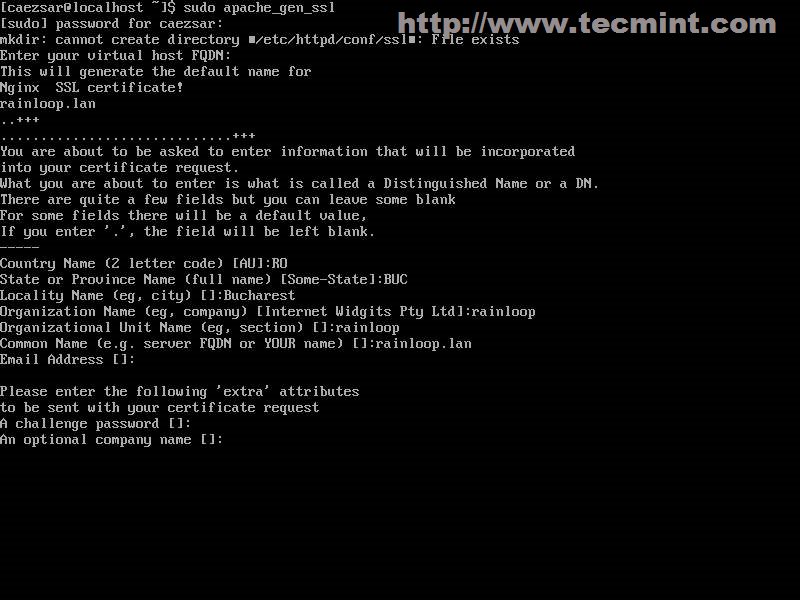
SSL
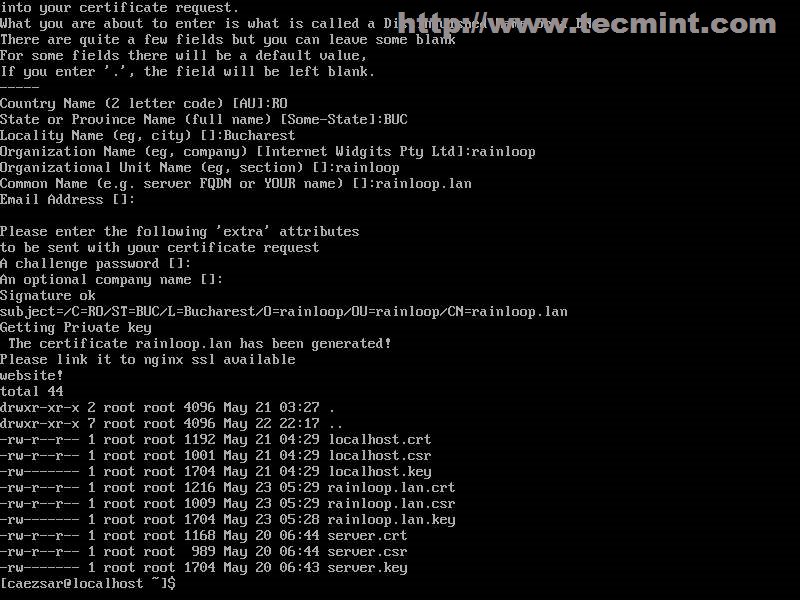
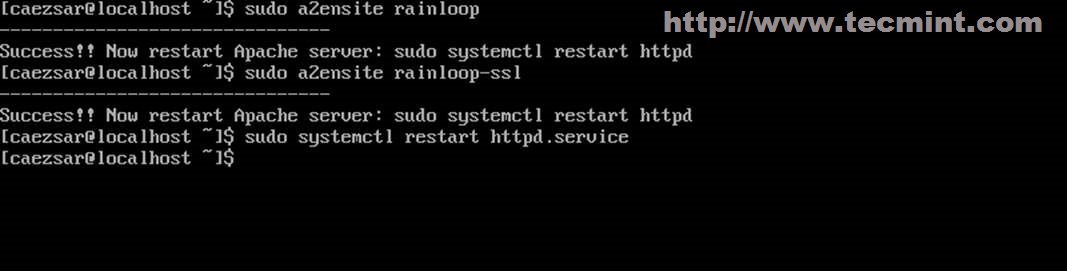
After the Certificate and SSL keys are created, add Rainloop DocumentRoot path, then enable Virtual Hosts and restart Apache daemon to apply configurations. , RainLoop DocumentRoot ,,ApacheSettings。
- $ sudo mkdir –p /srv/www/rainloop
- $ sudo a2ensite rainloop
- $ sudo a2ensite rainloop–ssl
- $ sudo systemctl restart httpd
Address:http://linux.cn/article-3232-1.html
|

