

Today, many small and medium-sized business users often lose critical data for various reasons, especially on open-source architecture platforms, leading to losses in time and even business operations. In response, many Linux backup tools have emerged in the market. Notably, some well-known backup software can effectively provide users with disaster recovery protection, but the cost is often unbearable for SMEs.

Currently, most backup tools also offer data compression technology, making it easier for users to store data more efficiently. Some backup data is even encrypted during the copy process. Recently, the author learned from techradar about several free Linux backup tools that can help users with data protection. A summary and relevant download links are provided below:
1. Pybackpack
Source: genbeta.com
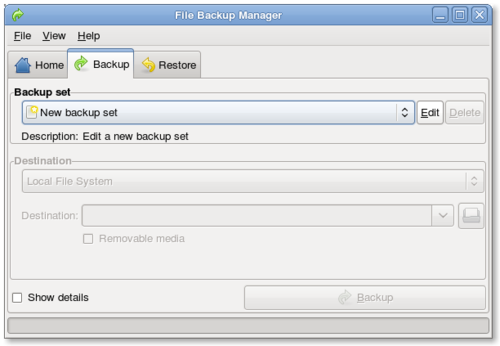
PyBackPack is a file backup tool featuring a user-friendly interface and exceptional ease of use. Written for the GNOME desktop environment, it can store preset backup configurations and supports backing up data and files to local directories, CD/DVD, and remote directories (via SSH). Of course, this tool also includes functionality to restore backup files.
Pybackpack includes Python, PyGlade, PyGTK, and various other tools. It is very simple to use, and during incremental backups, users can also restore backups based on specific dates and times.
Pybackpack download link: http://andrewprice.me.uk/projects/pybackpack/
2. Fwbackups
Source: softpedia.com
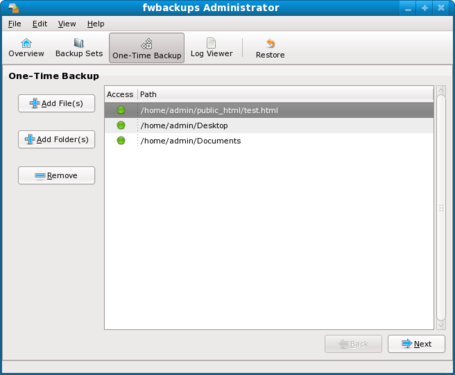
Fwbackups features a sleek graphical user interface. With Fwbackups, users can perform backup tasks on demand or create subsets. Backup Sets allow you to pre-configure multiple backup settings and schedule execution times for each.
Fwbackups download link: http://www.diffingo.com/oss/fwbackups
3. Déjà Dup Backup
Source: nierox.com
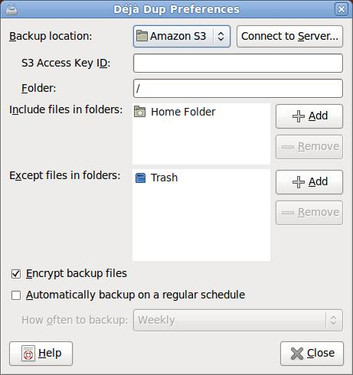
Déjà Dup is a simple backup tool that hides much of the complexity of backing up, presenting a very straightforward backup software interface. It provides users with features like remote backup and incremental archive encryption.
Déjà Dup download link: https://launchpad.net/deja-dup
4. Simple Backup Suite
Source: unixmen.com
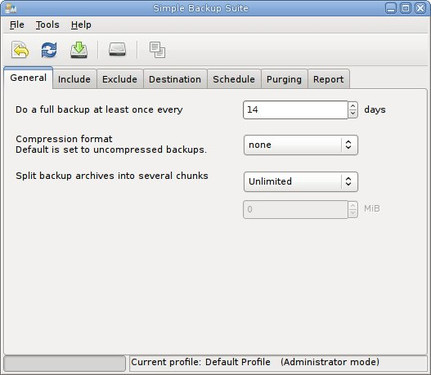
Simple Backup Suite, also known as Sbackup, provides users with two graphical user interfaces: a simple backup tool and a simple restore tool. It is not intended for home users but is suitable for system data backup.
Simple Backup Suite download link: http://sourceforge.net/projects/sbackup/
5. LuckyBackup
Source: skytechgeek.com
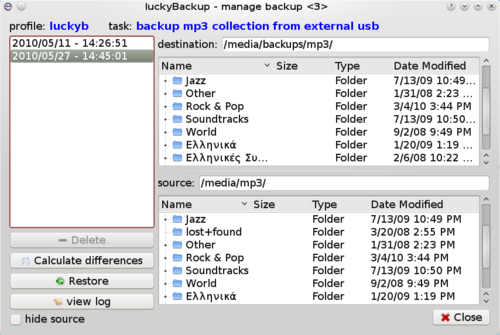
LuckyBackup is a powerful, fast, and reliable backup/synchronization tool. The newly released version 0.4.1 includes updates such as:
The ability to restore snapshots for any directory, updated help documentation, and improved cron log files that generate separate logs for each profile, providing only the log of the last executed cronjob. Notably, LuckyBackup 0.4.1 includes a series of fixes.
Download link: http://luckybackup.sourceforge.net/
6. Back In Time
Source: linuxzone.es
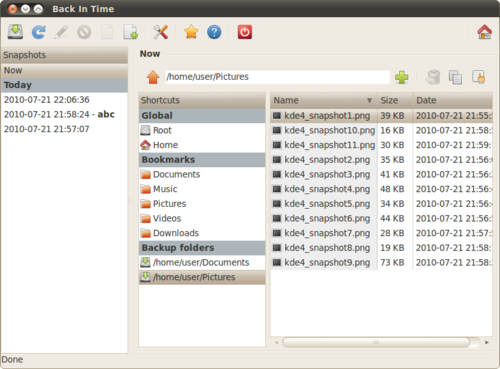
Back In Time is a backup software for the Linux platform, mainly inspired by the Flyback project. Besides offering graphical interfaces for Gnome and KDE, it also provides a CLI command. Its main features are ease of use, scheduled tasks, and automatic deletion functions.
Download link: http://backintime.le-web.org/download/backintime
Clearly, for SMEs, paid backup software not only incurs significant costs but also often includes features that may not be needed for their business. As a result, some open-source backup software has become the choice for SMEs. Open-source backup software has open source code, but the cost of post-deployment maintenance and potential issues can be troublesome. For SMEs, it might be considered an experimental choice.