

Error message:
Start Pxe over IPv4

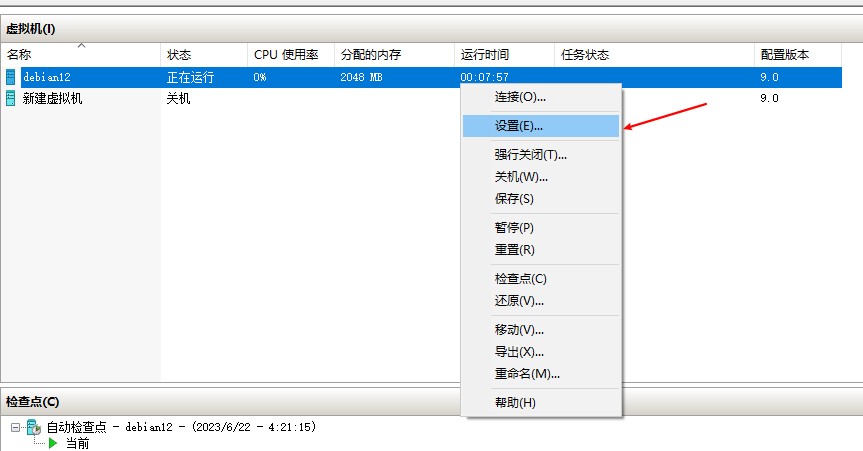
Solution: Right-click on the virtual machine and click “Settings”:
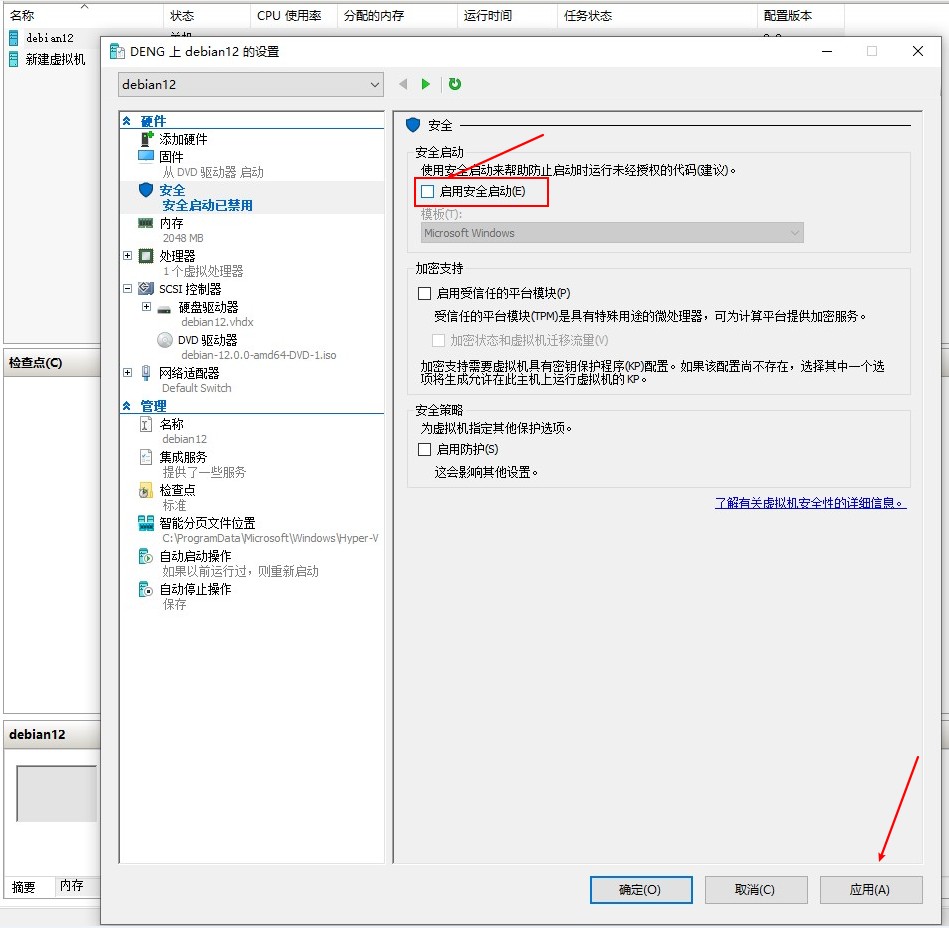
In the “Security” tab, uncheck “Enable Secure Boot” and click “OK”:
Restart the virtual machine.
Error message:
Start Pxe over IPv4
Solution: Right-click on the virtual machine and click “Settings”:
In the “Security” tab, uncheck “Enable Secure Boot” and click “OK”:
Restart the virtual machine.