

When we expand a disk in Alibaba Cloud, the system does not automatically extend the filesystem after the purchase is complete; we need to perform some manual steps.
First, install the required utilities for disk expansion (choose the installation command based on your operating system):
yum install cloud-utils-growpart xfsprogs -y #CentOS series
apt install cloud-guest-utils xfsprogs -y #Ubuntu, Debian series
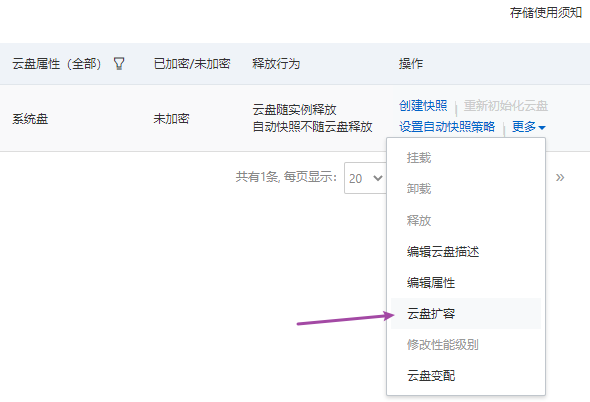
As shown above, using my example, it was previously 40G and has been expanded to the current 60G.
fdisk -l #Use this command to see the actual current disk size.
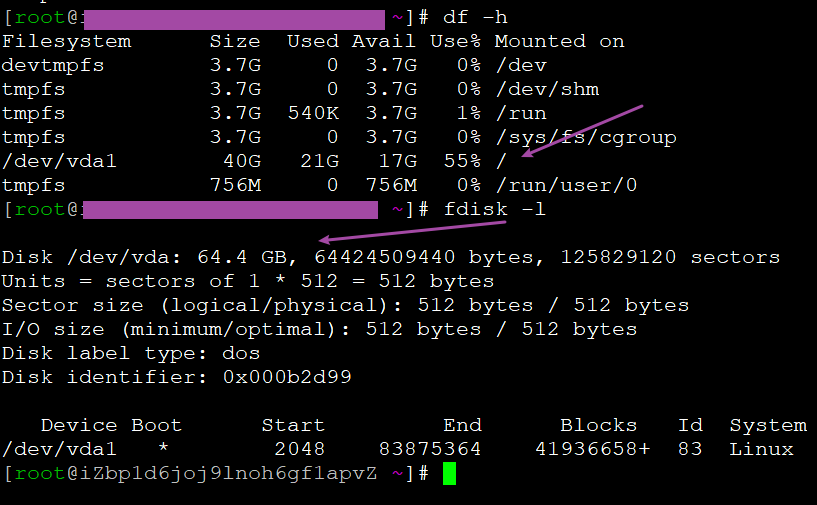
Above we can see that although the purchase operation has been completed on the Alibaba Cloud console, the disk capacity in the system is still 40G.
df -Th #Check the file system type; you can see the disk partition format (here it is ext4)
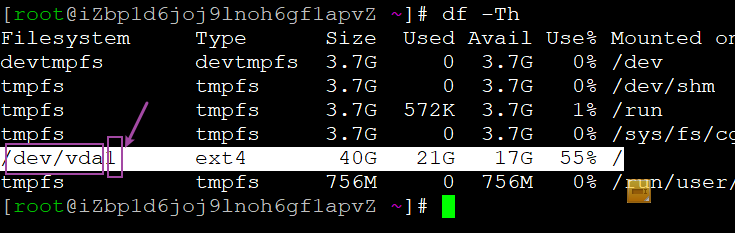
In the information above, “/dev/vda1” indicates: the device name of the system disk is /dev/vda, and the partition number is 1.
Run the following command “ growpart <DeviceName> <PartionNumber> ” to expand the partition:
growpart /dev/vda 1 #As seen above, my device name is /dev/vda, and the partition number is 1
Run “resize2fs <PartitionName>” to extend the file system (here using the ext format as an example, such as ext3 and ext4):
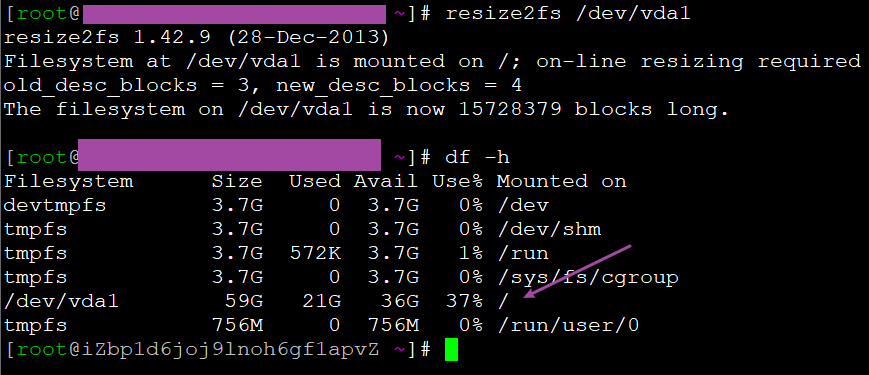
resize2fs /dev/vda1
df -h #Check the disk size again; you should now see the expanded disk size
Note: Run the uname -a command to check the kernel version of the instance. If the kernel version is earlier than 3.6.0, a console restart or API restart is required to complete the partition expansion; if it is later than 3.6.0, no restart is needed.