

When installing Oracle 11g on Oracle Linux, there are specific requirements for the OS shared memory (/dev/shm). Its size must not be less than the memory size you allocate for Oracle.
[root@localhost ~]# cat /etc/fstab | grep shm
tmpfs /dev/shm tmpfs defaults 0 0
[root@localhost ~]# df -h /dev/shmFilesystem Size Used Avail Use% Mounted on
tmpfs 538M 0 538M 0% /dev/shm
[root@localhost ~]# vi /etc/fstab
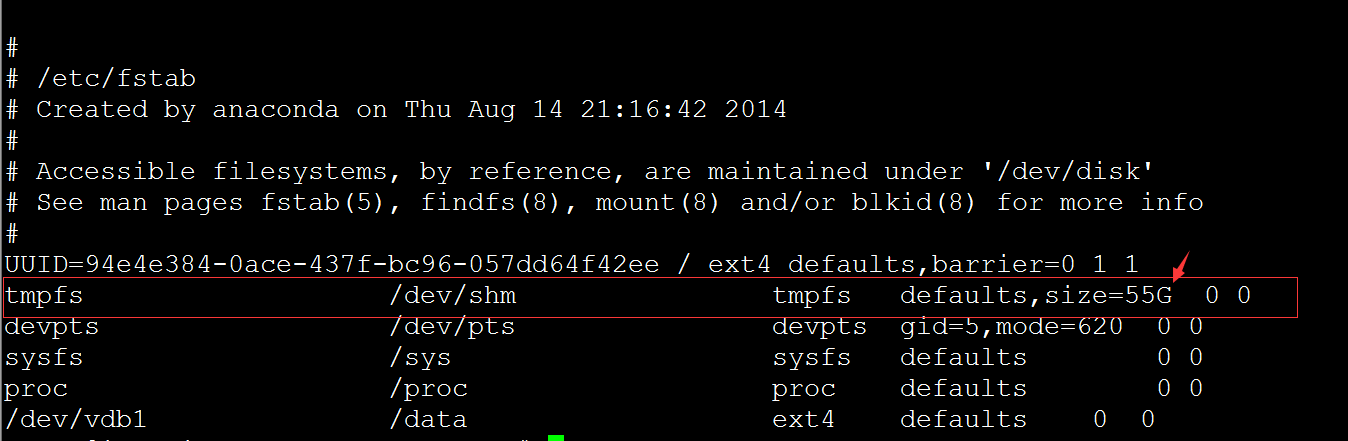
As shown in the image above, 55G is the newly specified size.
# mount -o remount /dev/shm #Remount
# df -h /dev/shm
