

Many users encounter a 404 error when trying to access uploaded FLV videos on their web hosting or cloud servers. They often assume the upload failed and repeatedly upload the file. In reality, the file was successfully uploaded the first time. The 404 Not Found error occurs because the server’s IIS does not support FLV playback! Data Age has summarized the following two solutions — make sure to take note!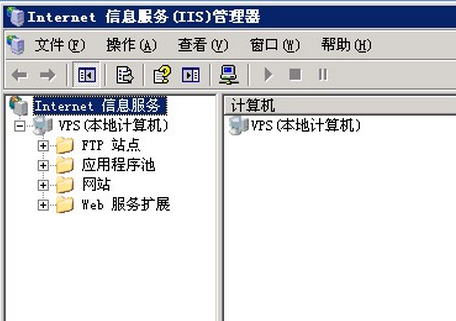
1. If you are using your own server, log in to the server, open “Internet Information Services”, select the properties of the target website, go to “HTTP Headers – MIME Map – File Types – New Type”. Enter “.Flv” in the “Associated Extension” field, and enter “flv-application/octet-stream” in the “Content Type” field. That’s it.
2. If you are using shared hosting and your FLV file is named “a.Flv”, create a new directory named “a.Flv” on your host. Then upload the FLV file into this folder and rename the FLV file to “index.htm”. Finally, when playing the FLV file, remember: keep the file name exactly as it was — in this example, “a.Flv”. This will resolve the issue!