

Environment: Win2003, IIS 6.0, VS2008
Created a new website with only a test page, Default.aspx.
Then set up a site in IIS for testing. After clicking ‘Browse’, the page displayed ‘HTTP Error 404 – File or Directory Not Found.’
Created an HTML page in the same directory as Default.aspx, and it worked fine. This should be an IIS configuration issue.
Solution: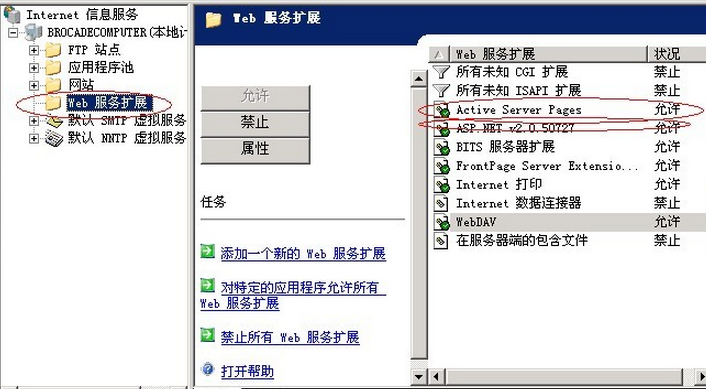
In the IIS ‘Web Service Extensions’, set ‘All Unknown ISAPI Extensions’ to Allowed, and it will work.