

Note: This configuration file is nginx.conf. Settings will take effect globally after configuration. Please define the relevant variable names in your application beforehand, and ensure Nginx has access.log writing enabled (enabled by default).
1. Enable Underscore Support (underscores in variables are not recognized by default):
vi /usr/local/nginx/conf/nginx.conf
Add the following inside the http{} block:
underscores_in_headers on;
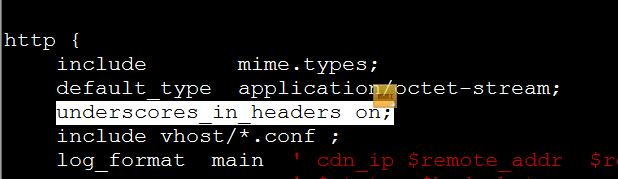
2. Add the following information inside the http{} block (commented out by default). The last line contains the custom content:
vi /usr/local/nginx/conf/nginx.conf
Add the following content anywhere inside:
log_format main ' cdn_ip $remote_addr $remote_user [$time_local] "$request" "$http_host" $request_time '' $status $body_bytes_sent $ssl_protocol "$http_referer" '' "$http_user_agent" user_ip "$http_x_forwarded_for" '' to "$upstream_addr" status $upstream_status time $upstream_response_time '' mobile-client "$http_op_type" api-version "$http_api_version" app-version "$http_app_version" ' ;
As shown below:
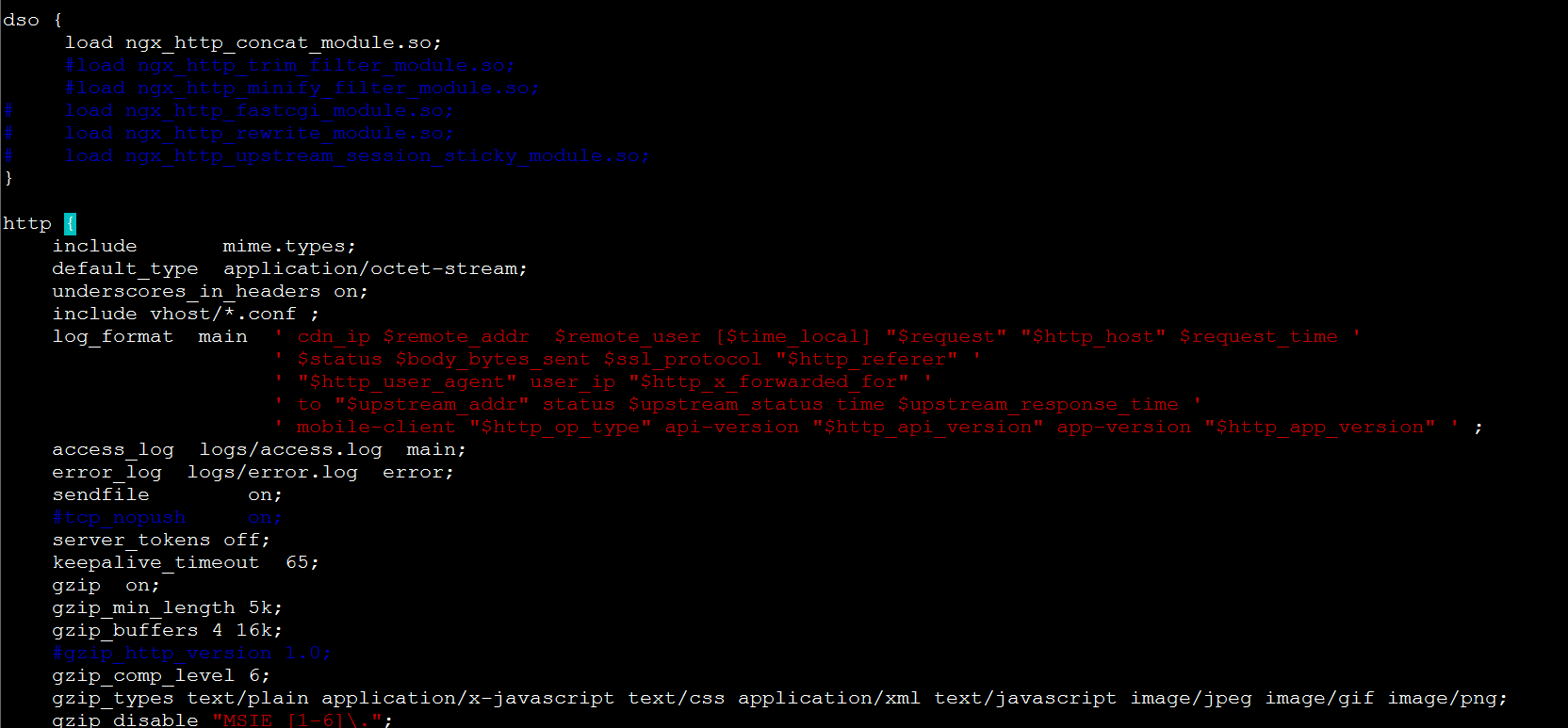
The last line of the above code:
' mobile-client "$http_op_type" api-version "$http_api_version" app-version "$http_app_version" ' ;
Where:
The data inside the ' ' is the content to be printed in the log.
Names like mobile-client api-version app-version , as well as preceding labels such as to , user_ip , cdn_ip, are arbitrary names chosen for differentiation; they can also be omitted.
$http_op_type $http_api_version $http_app_version are the defined variable contents, corresponding to op-type, api-version, and app-version in your application respectively. Note that custom content must start with $http_, and the "-" dashes in the names must be changed to underscores "_". Otherwise, the log may fail to print. The double quotes around the variables are optional, but recommended for easier log review when there is a lot of content.
3. View Logs:

Log format attachment: https://www.cnop.net/uploadfile/2017/0112/20170112031325817.docx