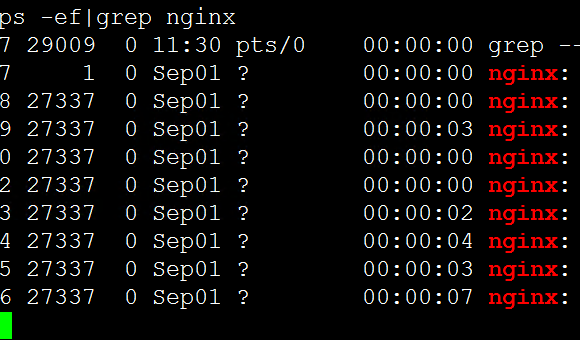
Using `service nginx start` to start Nginx throws an error:
nginx.service – SYSV: Nginx is a high-performance web and proxy server.
However, directly running the `sbin/nginx` file inside the installation directory works successfully.
After checking with `systemctl status nginx.service`, the details are as follows:
nginx.service – SYSV: Nginx is a high-performance web and proxy server.
Loaded: loaded (/etc/rc.d/init.d/nginx; bad; vendor preset: disabled)
Active: failed (Result: exit-code) since Tue 2017-03-21 11:29:22 CST; 52s ago
Docs: man:systemd-sysv-generator(8)…
nginx.service: control process exited, code=exited status=1
Failed to start SYSV: Nginx is a high-performance web and proxy server..
Unit nginx.service entered failed state.
nginx.service failed.
Possible cause: The error indicates that an existing process is already running, meaning there are lingering Nginx processes on the system that were not killed.
Solution: Kill all Nginx processes first, then start the service:
killall nginx
service nginx start