

To improve software installation efficiency on cloud servers and reduce the cost of downloading and installing software, Tencent Cloud provides a Yum download source. In a CentOS environment, developers can quickly install software through YUM.
For the Yum download source, you do not need to add a software source; you can install software packages directly.
1. Installation Steps
1. After logging in to a cloud server with the operating system CentOS6.2, you have obtained root privileges by default:
Note: It is strictly forbidden to execute the password command; the root password cannot be modified by default.
2. Under root privileges, use the command yum install to install software, as shown in the example below: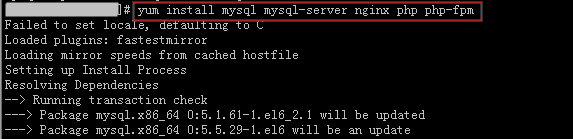
3. The system will automatically search for relevant software packages and dependencies, and prompt you in the interface to confirm whether the searched software packages are appropriate, as shown in the image below: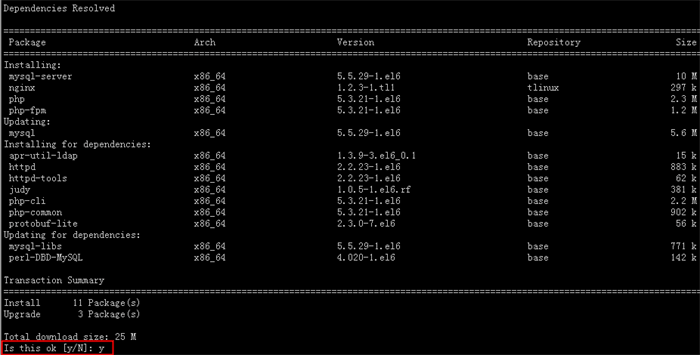
4. After entering “Y” to confirm, the software installation begins. Once the installation is complete, it will prompt “Complete”, as shown in the image below: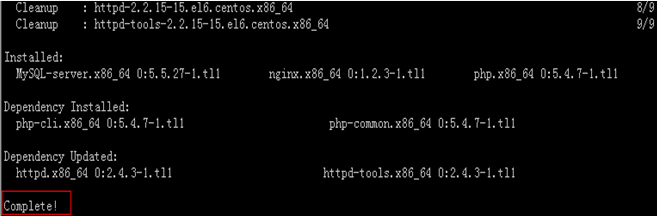
2. Viewing Installed Software Information
After the software is installed, you can use the command rpm -ql to view the specific installation directory of the software package.
Take viewing the installation directory of nginx as an example:
#rpm -ql nginx
The result is as follows: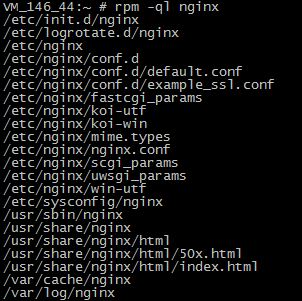
You can use the command rpm -q to view the version information of the software package.
Take viewing the version of nginx as an example:
#rpm –