

Many people use the history command, which lists all operations of the current user (by default). However, on many distributions, the default history output does not include the user or timestamp, which makes it inconvenient when you need to review past actions. After checking the man page for history, I found a variable that can customize the display format of history — HISTTIMEFORMAT.
Run the following command as root and press Enter:
#export HISTTIMEFORMAT="`whoami` : | %F | %T: | "
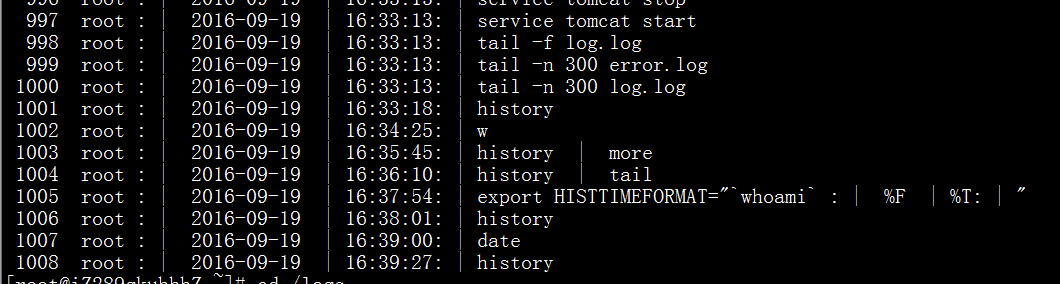
After that, you will see history entries with the user and timestamp. Save this setting to the current user’s .bash_profile to have it load automatically at startup.