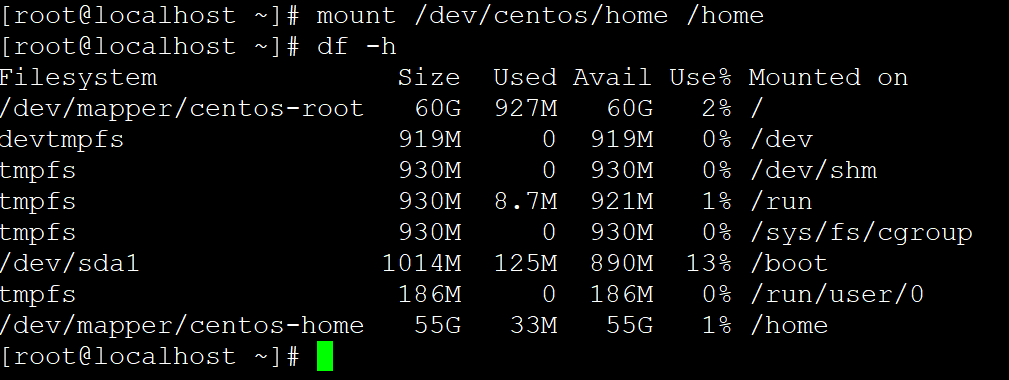
After the system is set up, sometimes the root partition size does not meet our needs and requires resizing. After resizing, the contents under /home will be lost, so make sure to back up properly.
df -h #Check system partition sizes. Here the / root partition is 50G and /home is 66G. For this experiment, we will resize the / partition to 60G
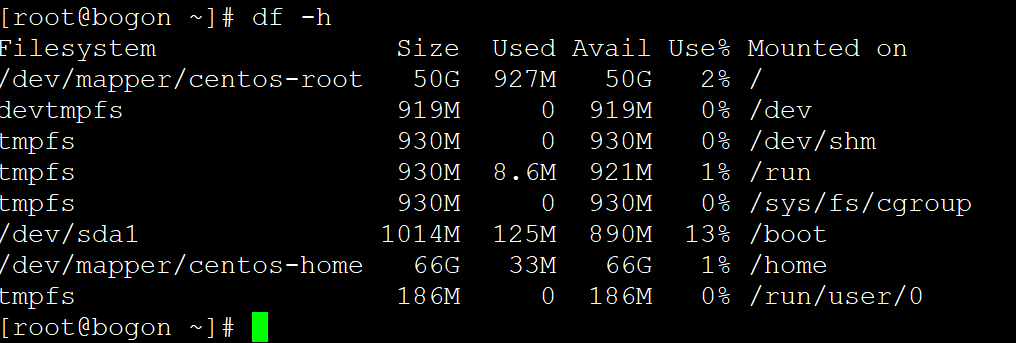
Note the following information:
/dev/mapper/centos-root
/dev/mapper/centos-home
First, unmount the /home partition: If unmounting fails, a process is occupying /home. Kill the occupying process: fuser -m /home
umount /home
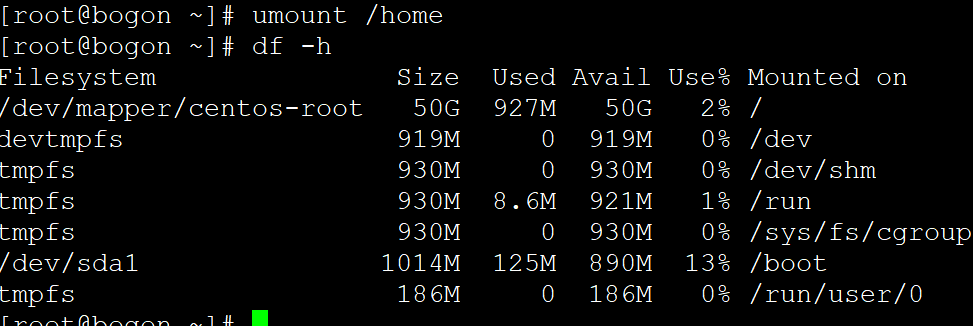
Delete the LV where /home resides:
lvremove /dev/mapper/centos-home

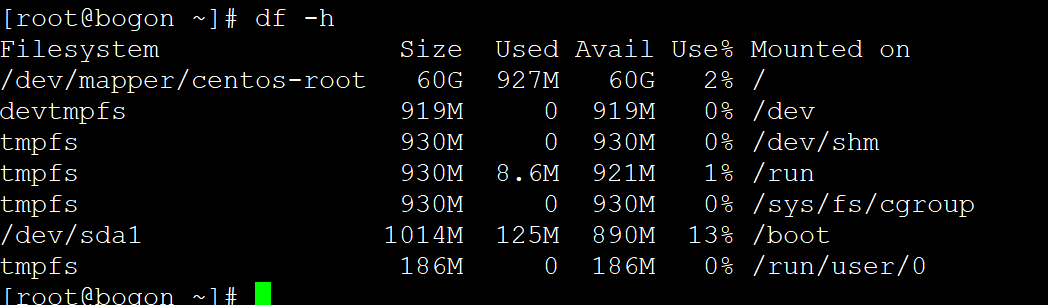
Extend the LV where /root resides, and extend the /root filesystem:
lvextend -L +10G /dev/mapper/centos-root #Here we add 10G, so /home should be reduced by 10G accordingly
xfs_growfs /dev/mapper/centos-root
df -h
service network restart
vgdisplay #Query remaining space
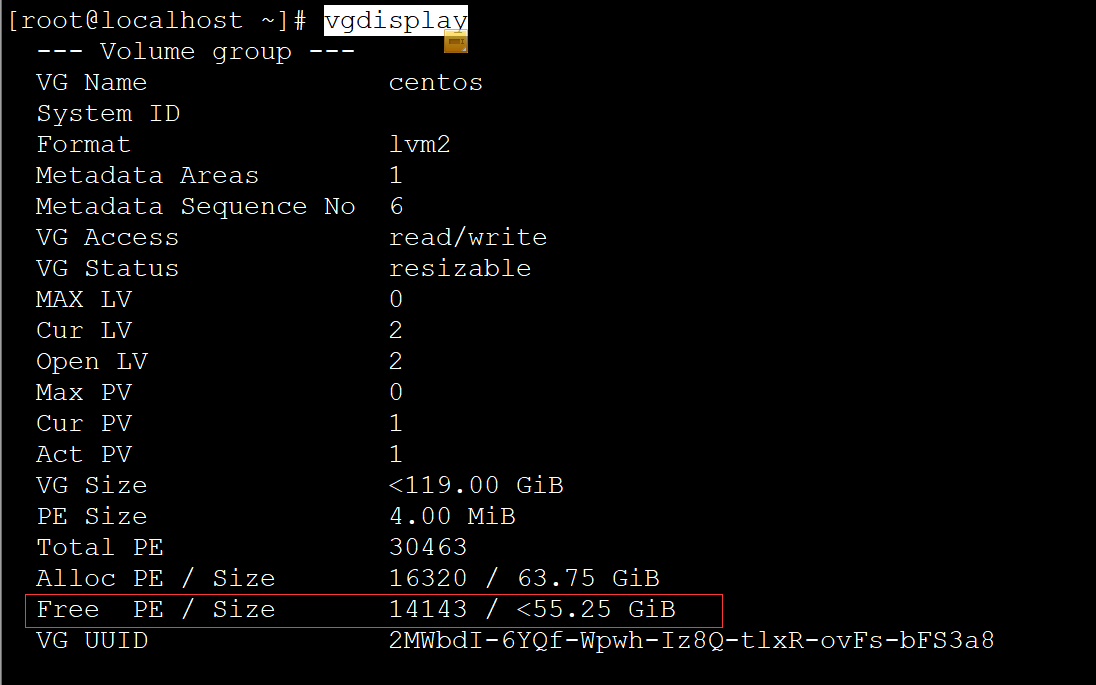
lvcreate -L 55G -n home centos #Recreate the home LV; the size set cannot exceed the remaining space

mkfs.xfs /dev/centos/home #Create the filesystem
mount /dev/centos/home /home #Mount home
df -h #Check the new partition sizes